mod.zoom-live — Virtual classroom (Zoom)
Community · Live category (can be disabled)
What it does
Live classes over Zoom's Server-to-Server OAuth API. The instructor schedules sessions (optionally linked to a course or to a specific lesson, which enables the "Join" button in the lesson); students register from a shareable link, and both the joinUrl and the recording are gated server-side to registered attendees or staff. It includes:
- Add to calendar on registering: Google, Outlook.com, Microsoft 365 and
.ics(the links never contain thejoinUrl). - An email + in-app reminder 2 hours beforehand (exactly one per class, with an atomic claim to prevent duplicates).
- Real attendance: an entry proxy (the click on "Join") reconciled afterwards against Zoom's Report API, with a manual override by the instructor.
- The recording is persisted when the
recording.completedwebhook arrives.
How it works
- With no credentials configured, the module uses a deterministic stub — the whole flow can be tested without a Zoom account.
- Webhooks are processed with an idempotent log keyed by
event_id(Zoom retries up to 3 times) and a verified HMAC signature; this includes Zoom's endpoint validation handshake. - Zoom participants who match no user (guests, a different email address) are kept with their Zoom identity for manual reconciliation.
- The typical attendance sync error is a missing
report:read:adminscope on the Zoom app; it is recorded on the session so the instructor knows why there is no data. - When the class ends,
mod.surveyscan fire the post-class survey automatically.
Configuration
- Enabling or disabling the module:
/admin/configuracion, Modules tab — a per-organization switch. - Zoom credentials, per tenant:
/admin/configuracion, Virtual classroom tab (contributed by the module; it disappears if you disable it). Fields Account ID, Client ID, Client Secret and Webhook Secret Token, with Save credentials, Test credentials and Delete credentials buttons. They are stored encrypted (AES-256-GCM) and never returned in plain text; without credentials the module falls back to the development stub. - Webhook: the endpoint is
https://your-domain/api/v1/webhooks/zoom. Zoom's Secret Token is pasted into the same panel form — it is no longer theZOOM_WEBHOOK_SECRETenvironment variable (that one was global while the S2S credentials were already per tenant). - Environment (workers):
ZOOM_REMINDER_CRON,ZOOM_REMINDER_HOURS_BEFORE,ZOOM_ATTENDANCE_SYNC_CRONcontrol reminders and attendance reconciliation (they require Redis). The defaults table and the Zoom App Marketplace setup live in Configuring Zoom. - Nothing in this module requires an Enterprise license.
Step by step
As an instructor (or admin):
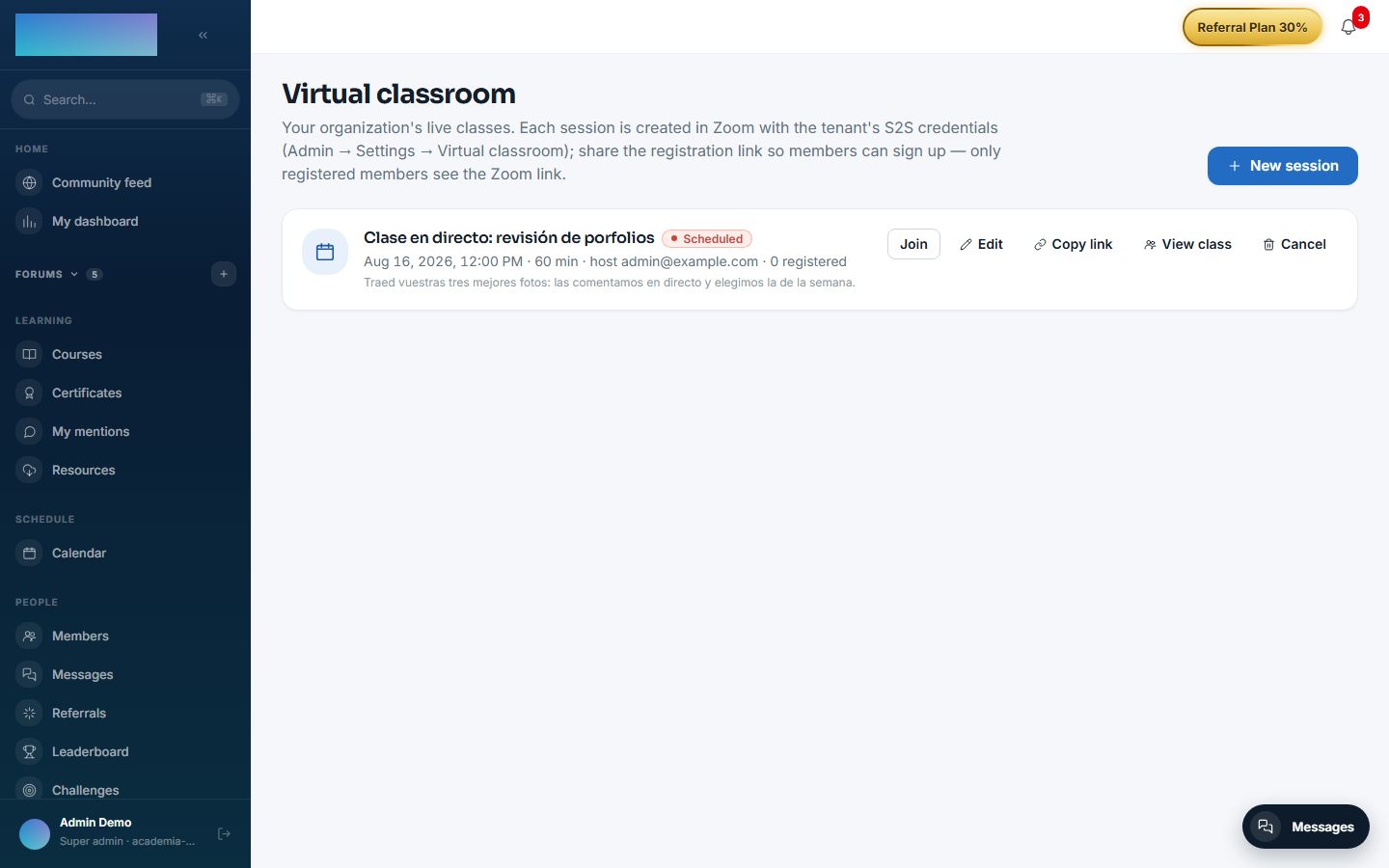
- Open Virtual classroom in the instructor menu (
/formador/aula-virtual) and click New session. - Fill in Title, Date and time, Duration (min) (15–480) and Time zone — the time is interpreted in the chosen zone, not in your computer's. The Host email must have a user in your Zoom account: the meeting is created under their name.
- Optional: link a Course (optional) and a Lesson (optional) — with a lesson, enrolled students see the session in its detail. Leave Announce in the community checked to publish a feed card people can register from.
- Click Create session, then Copy link to share the registration page (
/clase/<id>). - Edit only allows changing title, date, duration, time zone and agenda; the host, course and lesson are fixed at creation. Cancel notifies everyone registered.
- At class time, click Start (or Start (host) from the class page).
As a student:
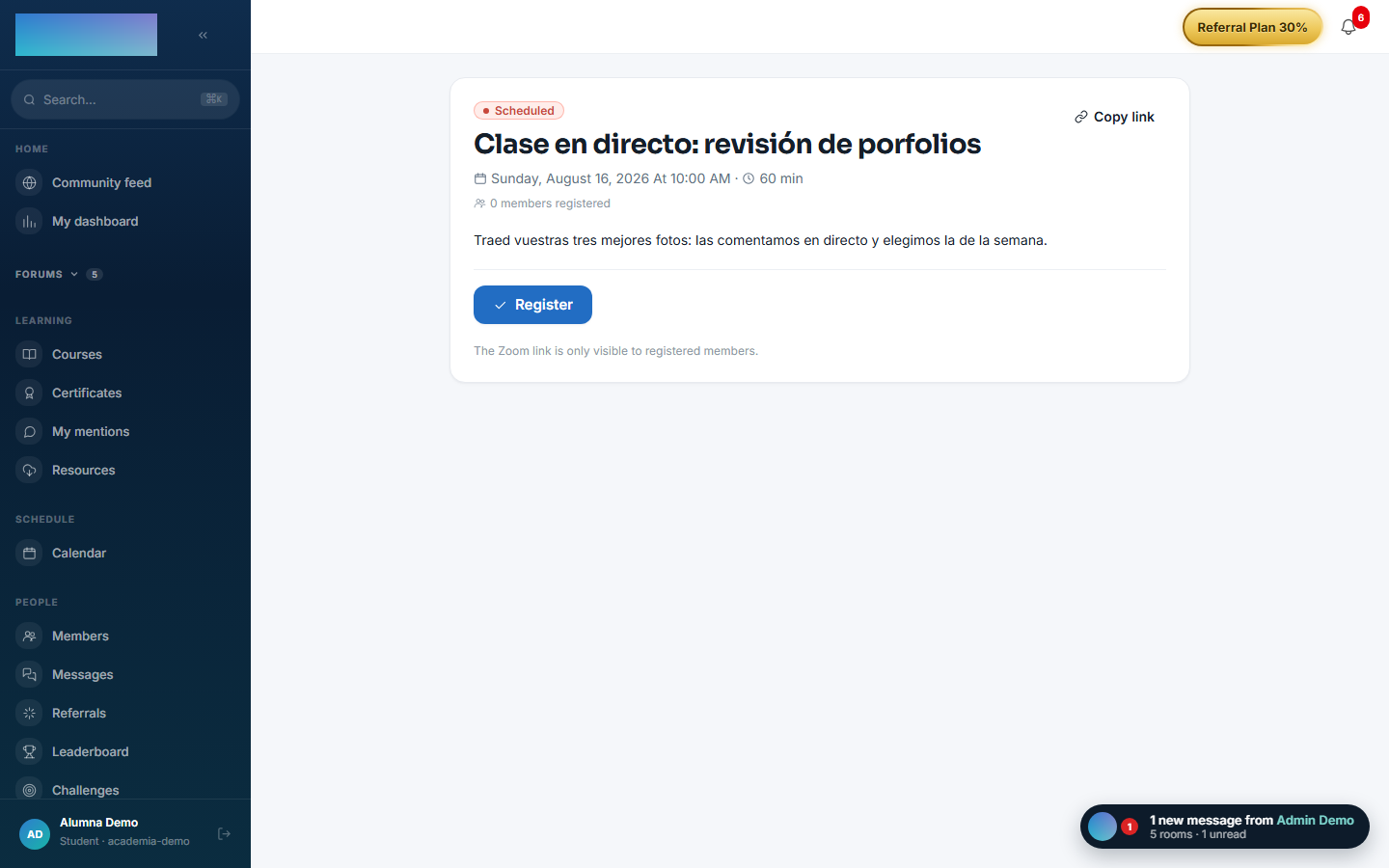
- Open the
/clase/<id>link (or the class from/calendario); with no session you go through sign-in and come back. - Click Register. The Add to calendar dialog opens (Google Calendar, Outlook.com, Outlook (Microsoft 365), Apple Calendar and others via
.ics). - The Join the class / Join now button only appears if you are registered; the click seals your entry as attendance evidence. You get a reminder 2 hours beforehand.
- Once the class ends, Watch recording appears for registered attendees as soon as Zoom delivers the recording.
Attendance (staff, on the same class page):
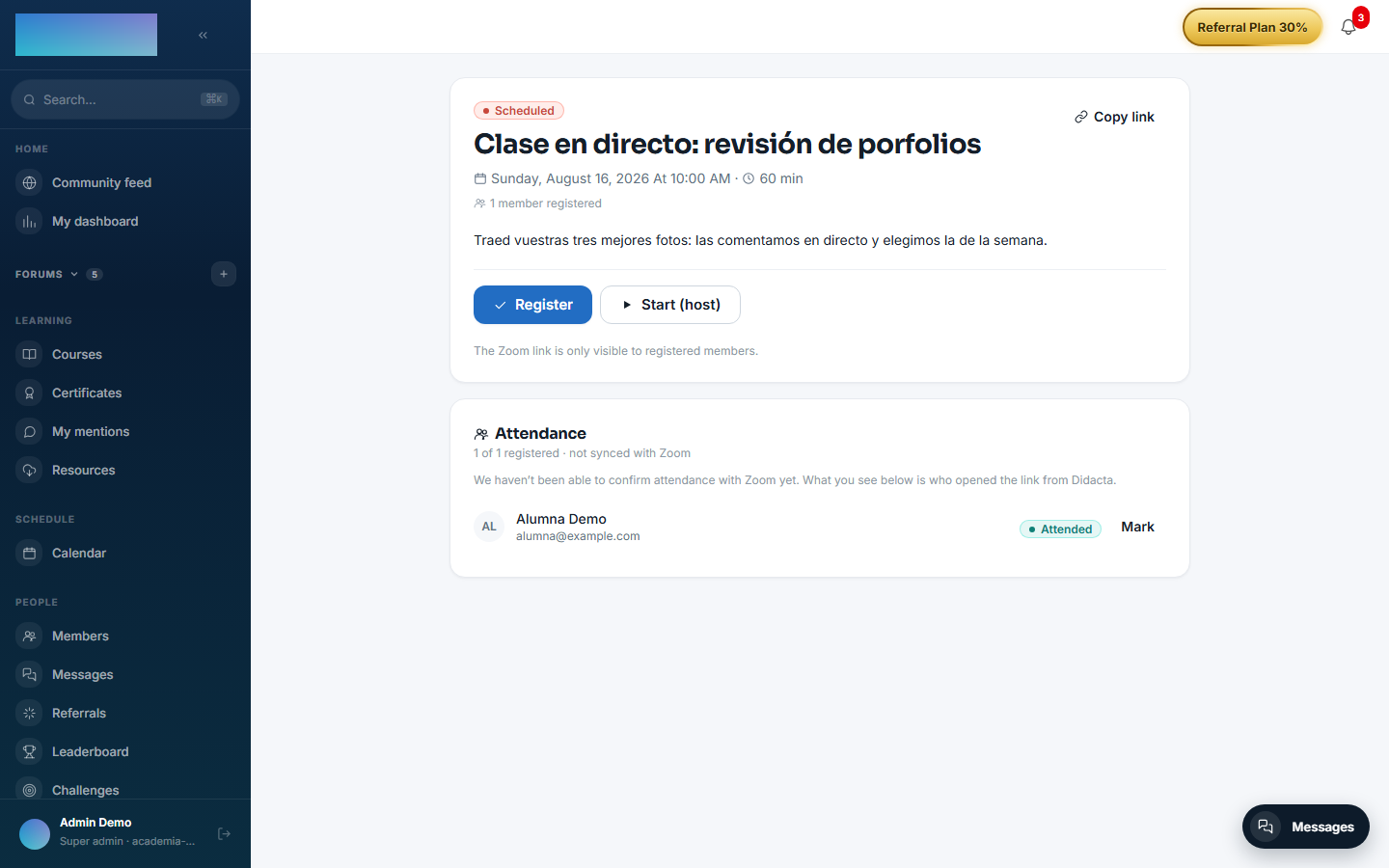
- The Attendance panel lists registered members and unmatched Zoom participants.
- Sync with Zoom reconciles against the Report API; each row shows how strong the evidence is.
- The Mark button cycles the manual override: Present → Absent → back to the automatic calculation.
Dependencies
Optional: mod.courses (linking a session ↔ course/lesson).
Data model
mod_zoom_session (the class: schedule, host, URLs, recording, sync flags) · _session_registration (registration, the basis for gating) · _session_attendance (entry click + Zoom data + override) · _webhook_event (idempotent log).
API
Prefix /modules/zoom-live (+ the public calendar + the webhook at /webhooks/zoom). Details in Reference → Payments, classroom and AI.
Events
Emits: zoom.session.created/updated/cancelled/started/ended, zoom.session.recording_ready, zoom.session.registration.created/cancelled, zoom.session.attendance_synced. It consumes none.