mod.community — Community
Community · Core category (always active)
What it does
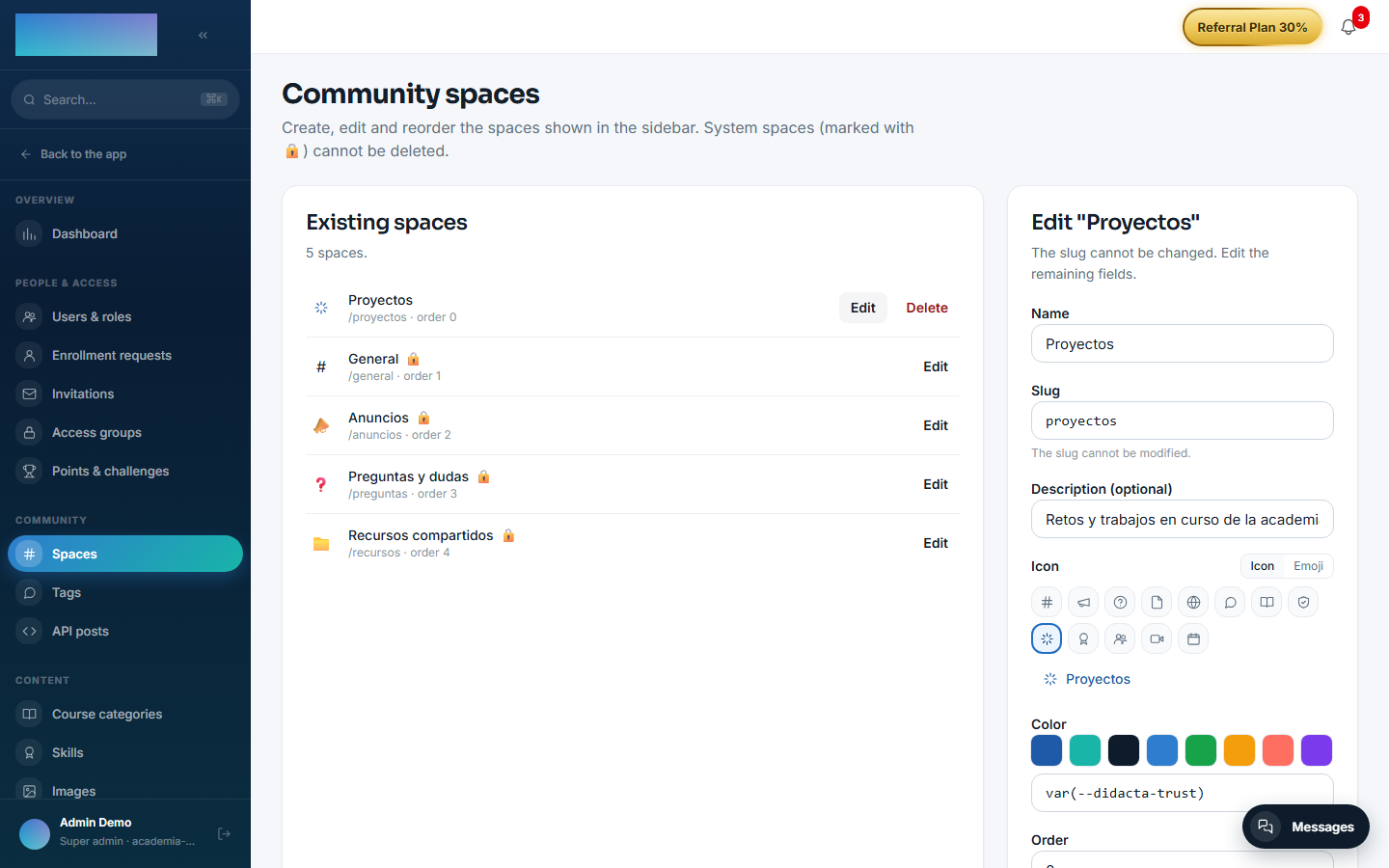
The tenant's social feed: posts (optionally tied to a course and a space), comments with one level of replies, emoji reactions, @user mentions with autocomplete, admin-curated tags (name, color, icon) and manageable spaces (the 4 system ones are editable but cannot be deleted). On top of that: moderation, pinned posts, a member directory, a weekly email digest and announcements (broadcasts) with an unsubscribe link.
How it works
- A deliberate distinction between moderation hiding (
hidden, reversible, the row is preserved along with the reason) and deletion by the author (soft delete). - A post with
notifyAll(admin only) also generates an email + bell broadcast to every member;importantignores the recipient's opt-out. - Broadcasts are sent in throttled batches (to protect SMTP reputation) and carry a resume cursor for retries.
- Publishing over the external API (
/community-api, with an API key scopedcommunity:postwhose owner is an admin): those posts come in withsource='api', which is how automated content is distinguished. - The weekly digest is scheduled with
COMMUNITY_DIGEST_CRON(Mondays at 09:00 UTC by default) and honours each user's opt-out.
Configuration
Activation. mod.community is a core-category module: it is always active and does not appear on the "Modules" tab of Administration → Settings (/admin/configuracion), which only lists the modules that can be disabled. If anything tries to disable it over the API, the backend rejects it with CORE_MODULE_NOT_DISABLEABLE.
Everything else is configured from the panel, each thing on its own screen:
- Spaces —
/admin/comunidad/espacios("Community spaces", Community group of the admin area). Per space: "Name", "Slug" (permanent once created), "Description (optional)", icon or emoji, "Color" and "Order" (lower number → appears earlier in the sidebar). System spaces are marked with 🔒: editable, not deletable. An admin can also create a space from the "+" button of the "Forums" sidebar group. - Curated tags —
/admin/comunidad/tags("Community tags"). Name (normalized to lowercase to avoid duplicates), color and icon; editing a tag affects every post that uses it. Authors can still write free-form tags in their posts. - Posts via API —
/admin/comunidad/publicaciones-api("Posts via API") lists the posts created withPOST /community-api/posts, grouped by the admin who owns the API key. Keys (scopecommunity:post) are managed in/admin/api-keys("API keys"). - Announcements —
/admin/avisos("Community announcements", Communication group): "Subject", "Message" and the "Mark as important (ignores unsubscribes)" checkbox. - Weekly digest, per user — each member controls it in
/cuenta, "Notifications" tab: the "Community" row ("Mentions, replies and the weekly digest.") crossed with the "Email" column. - Roles — hide/restore, pin, tags, spaces, announcements and
notifyAllrequiresuper_adminortenant_admin; instructors do not moderate the community.
Environment variables (workers):
REDIS_URL— without it neither the digest nor broadcast delivery starts (the feed keeps working).COMMUNITY_DIGEST_CRON— cron for the weekly digest (0 9 * * 1, Mondays 09:00 UTC).COMMUNITY_BROADCAST_BATCH_SIZE(5) andCOMMUNITY_BROADCAST_INTERVAL_MS(10 000 ms) — batch size and pause between announcement batches.WEB_PUBLIC_URL— base of the unsubscribe link carried by every announcement email.
Manual digest trigger (QA): POST /modules/community/digest/run-now, super_admin only. No feature of this module requires an Enterprise license.
Step-by-step usage
The operator (admin):
- Shape the spaces in
/admin/comunidad/espacios: rename the system ones, create your own and sort them with "Order". - Curate the official tags in
/admin/comunidad/tagsso the feed and the sidebar paint them with color and icon. -
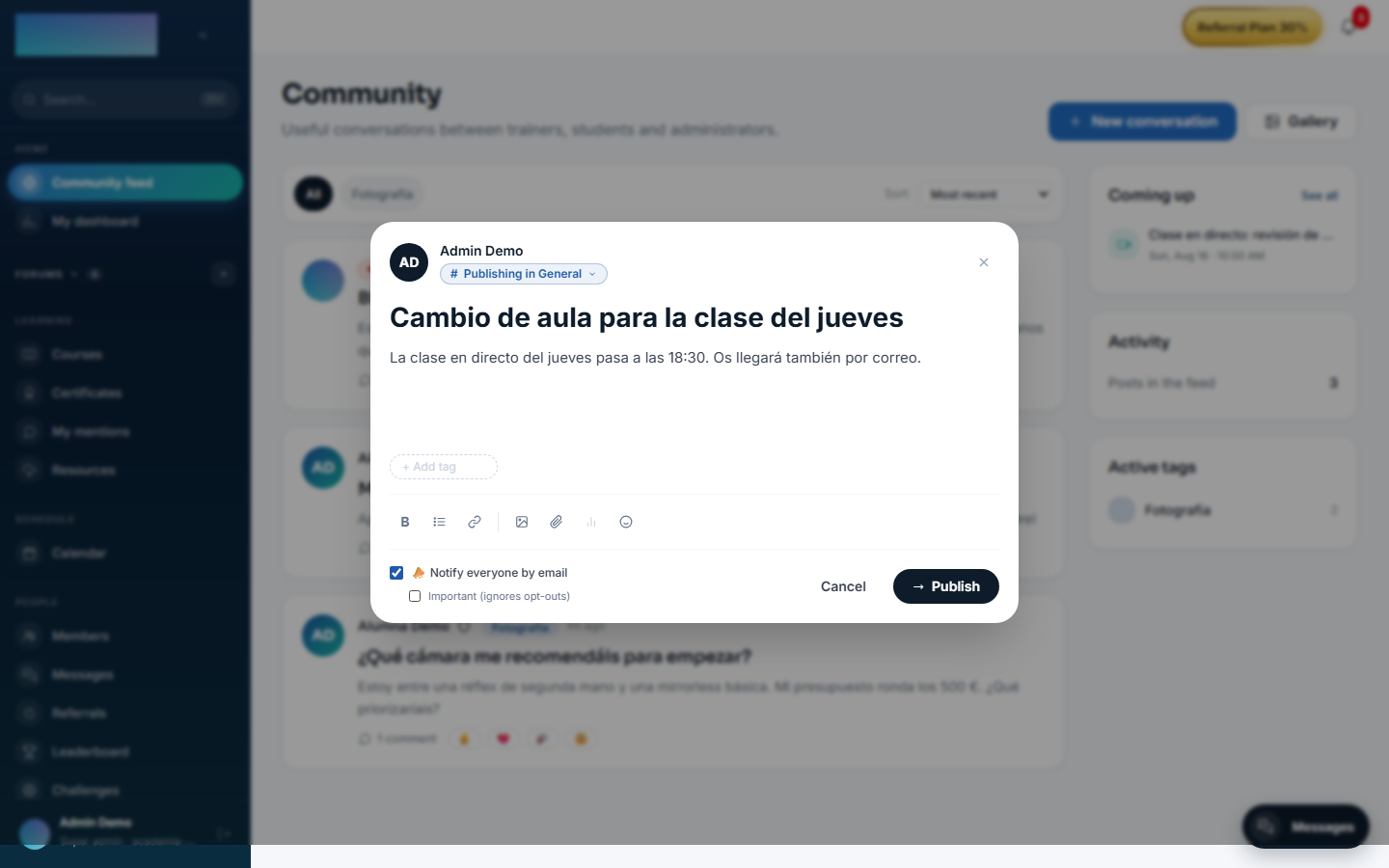
Publish the first post from the feed with "New conversation". Only admins see the "📣 Notify everyone by email" checkbox; ticking it reveals "Important (ignores opt-outs)" for when the message really must bypass unsubscribes.
-
Moderate from the feed itself: "Hide post" (asks for an optional reason and preserves the row), "Restore", "Pin" and "Unpin". Hiding also revokes the points the content earned if gamification is active.
-
For announcements without a post,
/admin/avisos: subject, message and "Send to everyone". The history ("Sent") shows each announcement's status and its "{sent}/{total} sent" progress.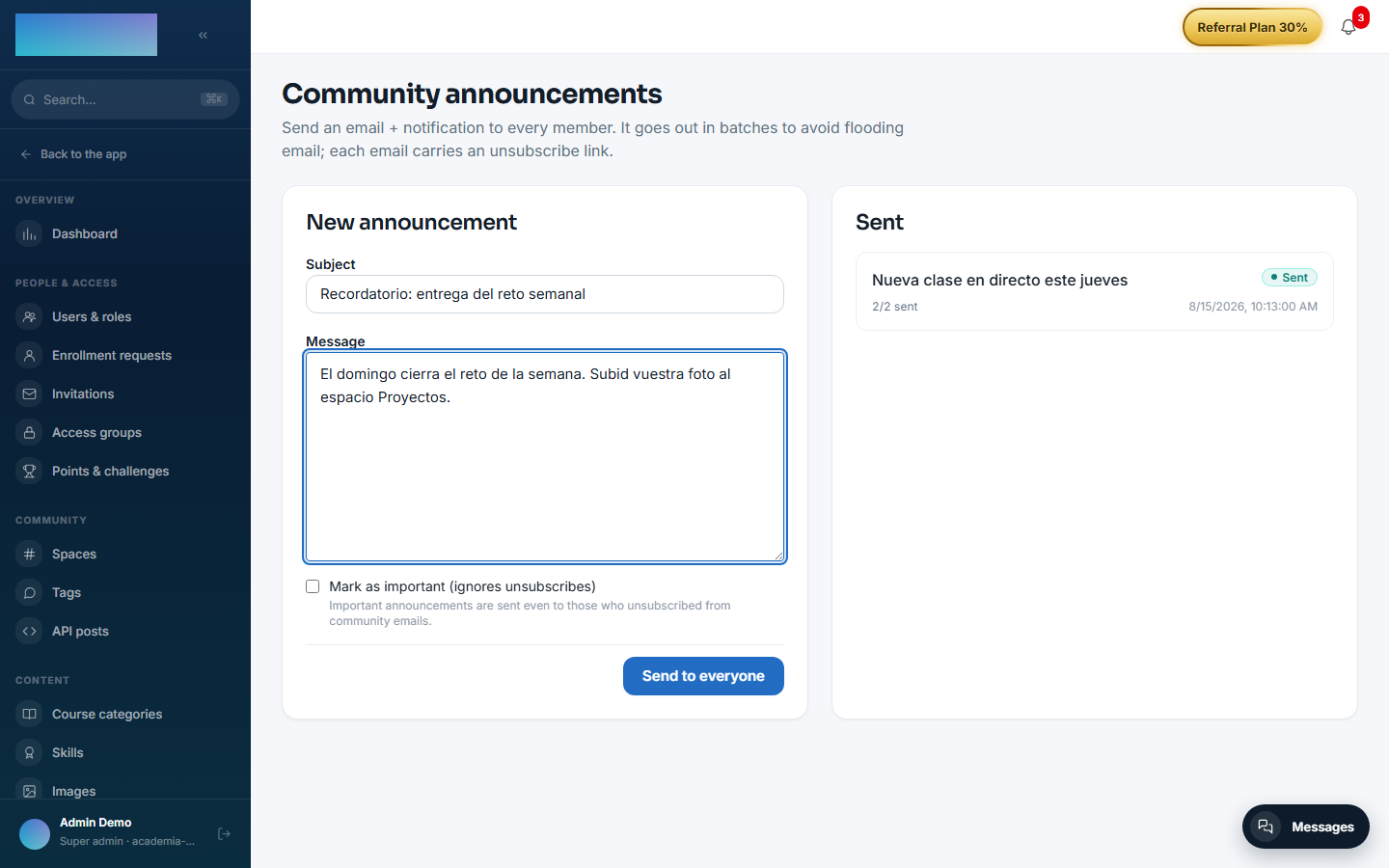
The student (member):
-
In
/comunidadpress "New conversation": title, rich text, tags,@usermentions with autocomplete, up to 10 images and 5 files per post. "Publish".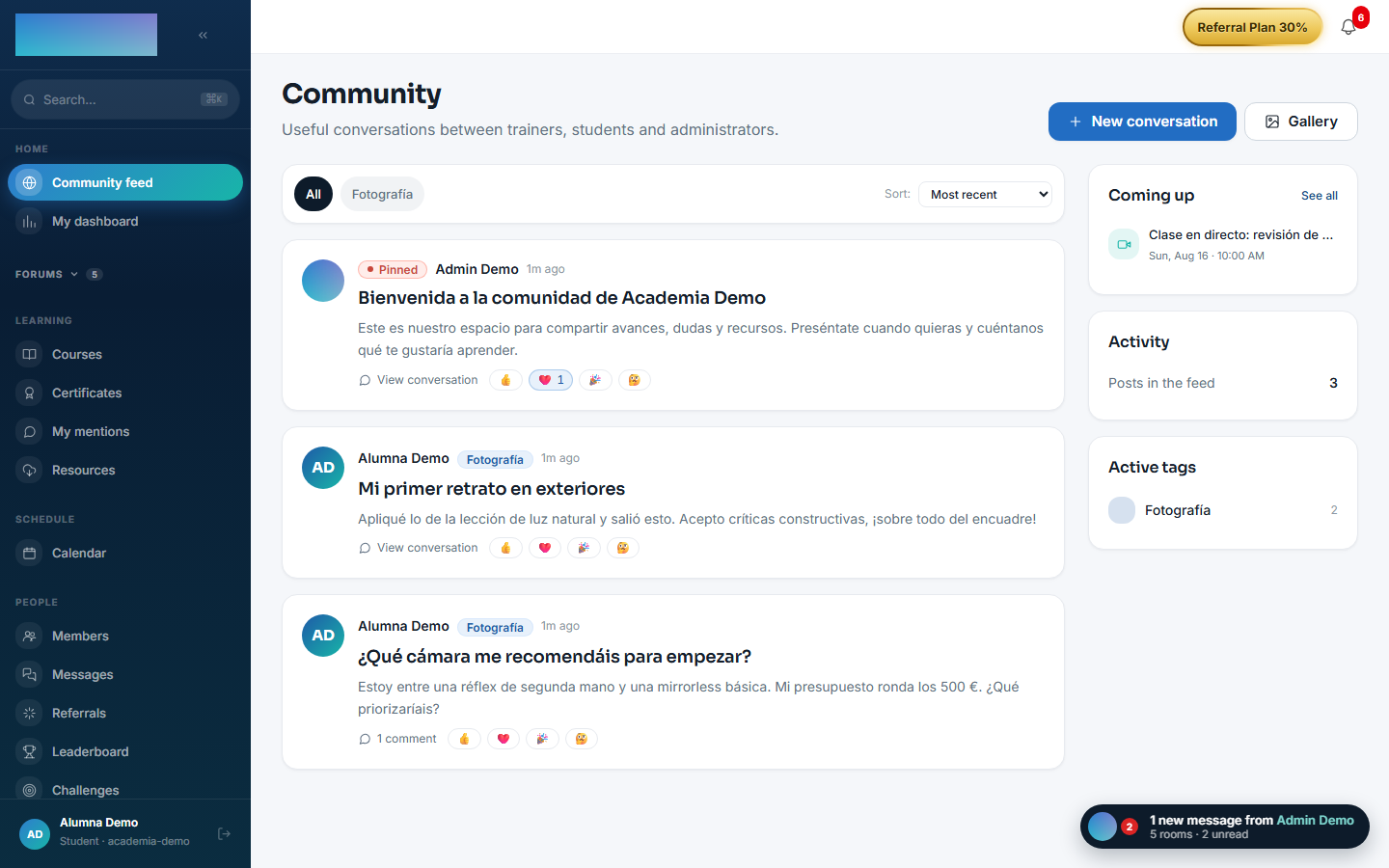
-
Posts can live inside a space: spaces hang from the "Forums" sidebar group and each one lives at
/espacios/<slug>, with sorting ("Most recent", "Oldest first", "Most commented") and a "Gallery" tab with the space's attachments. - Comment (one level of replies) and react with emoji on posts and comments.
- Mentions accumulate in
/comunidad/menciones("My mentions"); the directory lives at/miembrosand each member's public profile at/u/<id>. - To stop community emails, turn off the "Community" row in
/cuenta→ "Notifications", or use the unsubscribe link in the email itself; announcements marked as important still arrive.
Dependencies
Optional: mod.courses (posts tied to a course).
Data model
mod_community_post · _comment · _reaction · _mention · _tag · _space · _broadcast (with status and cursor) · _user_pref (preferences; today, the digest opt-out).
API
Prefix /modules/community + /community-api (integrations) + public token-based unsubscribe. Details in Reference → Community and people.
Events
Emits: community.post.created, community.comment.created, community.reaction.added (+ mentions). It consumes none. Its events feed gamification and the outgoing webhooks.