mod.ai-grader — AI grading with rubrics
Community · AI category (can be disabled)
What it does
AI-assisted grading for the open-ended questions in mod.assessments (SHORT_ANSWER, LONG_ANSWER). The instructor defines a rubric per question (instructions + 1-8 weighted criteria); the AI reads the rubric and the student's answer and proposes a score with a per-criterion justification plus overall feedback. The score is never published on its own: the instructor reviews and applies (or discards) the suggestion. The module records AI–human agreement metrics.
How it works
- The criteria weights must add up to the question's points (validated when the rubric is saved).
- There is one suggestion per answer: regenerating with
forcereplaces the previous one; withoutforce, the cached one is served without calling the model again. - "Apply" on a suggestion only marks it as applied for auditing — the real score is set through the manual grading in assessments (
POST attempts/:id/grade), keeping a single grading path. - Suggestions are persisted so they can be reviewed later without spending tokens.
Configuration
Enabling the module. Under /admin/configuracion?tab=modules (the "Modules" tab). The module contributes the "Grading" entry to the Instructor group of the sidebar (/formador/correcciones). If the module is disabled, the manual grading page keeps working: AI suggestions simply do not load.
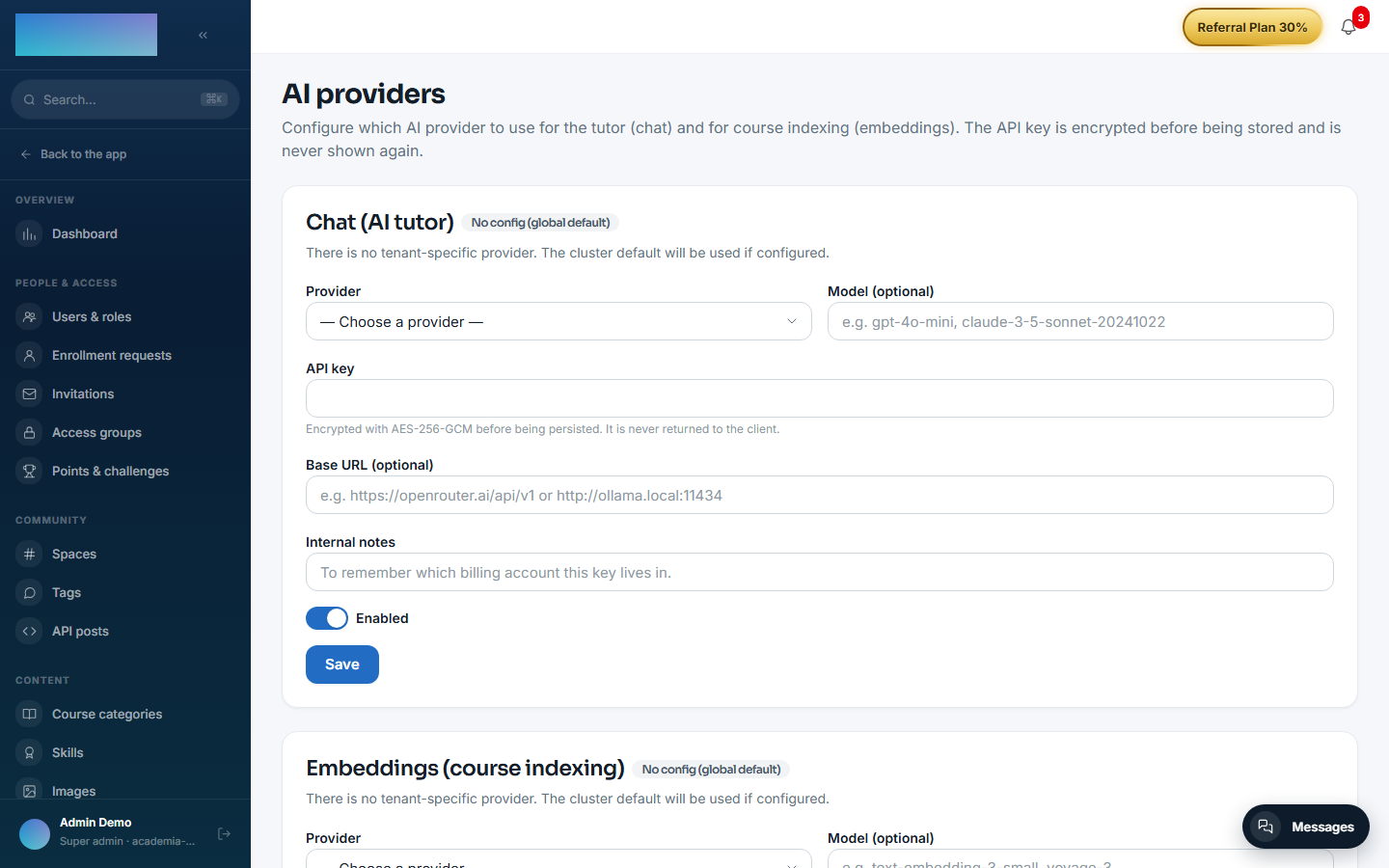
AI provider (BYOK). It only uses the AI Gateway's chat purpose: the "Chat (AI tutor)" block under /admin/ia/providers ("Integrations and API → AI providers" in the menu) or, failing that, the global default DEFAULT_AI_CHAT_*. Chat providers the code accepts today: OpenAI, Anthropic (Claude), Google Gemini, OpenRouter, Mistral AI, Groq and Ollama (self-hosted). Gateway and key-encryption details in Configuration → AI. With no provider configured (or if the provider fails), the suggestions request returns 502 AI_GRADER_PROVIDER_ERROR; manual grading is unaffected.
Rubrics. There is no rubric editing screen yet: they are managed through the API (GET/PUT/DELETE /modules/ai-grader/questions/:questionId/rubric, instructor role and above). Validations on save: instructions from 10 to 2000 characters, 1 to 8 criteria, each criterion with a name, a description and an integer weight (1-100), and the weights summing to the question's points.
No variables of its own, no per-tenant settings and no Enterprise license requirement.
Step by step
Preparation (instructor, through the API)
- Create the rubric for each open-ended question of the quiz with
PUT /modules/ai-grader/questions/:questionId/rubric, body{ "instructions": "...", "criteria": [{ "name": "...", "description": "...", "weight": n }] }. Questions with no rubric are skipped when generating suggestions (that is not an error).
Grading (instructor, in the panel)
-
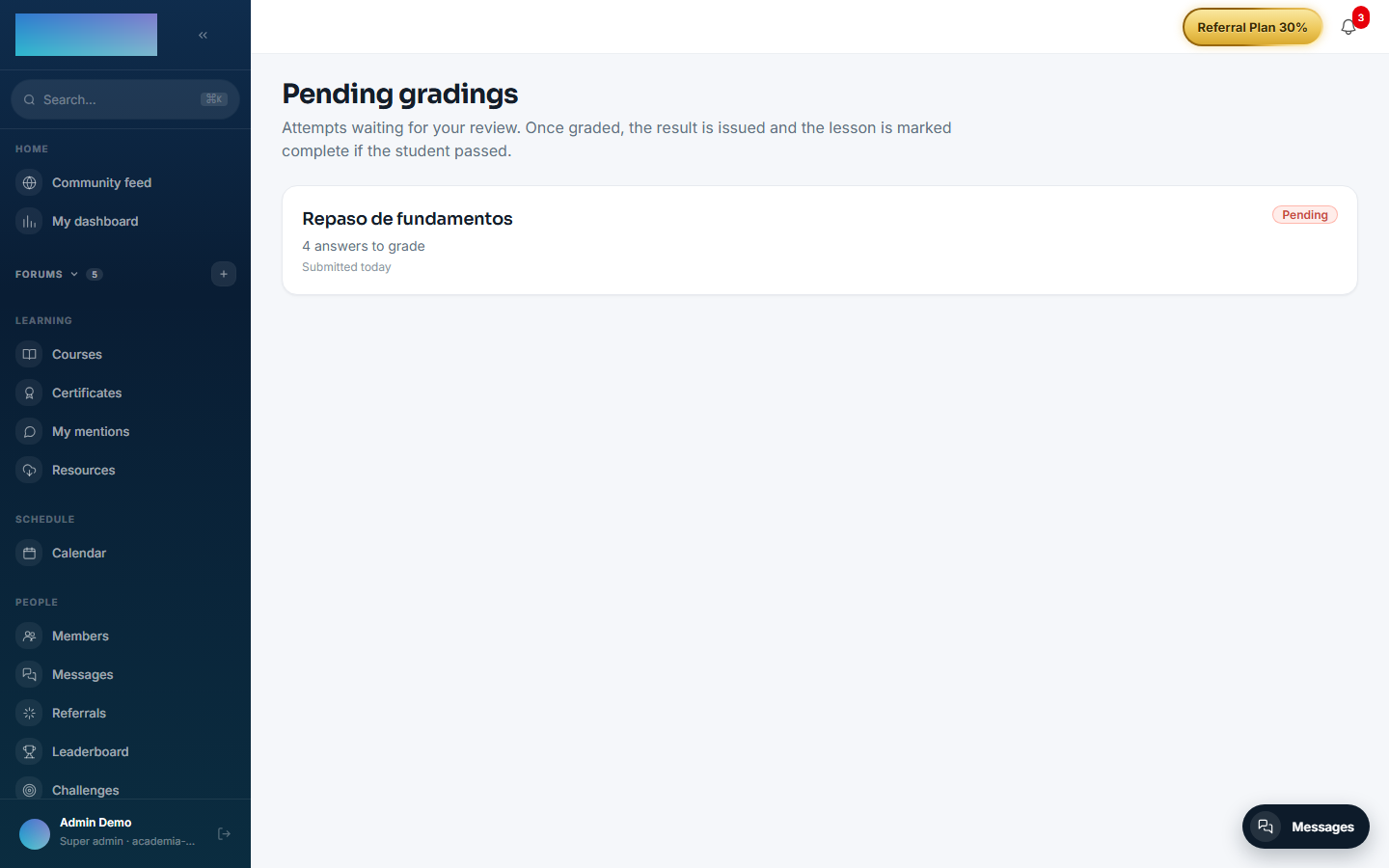
Open "Grading" in the menu (Instructor group): the "Pending gradings" page lists attempts with open answers waiting for review, with the "Pending" badge and "N answers to grade".
-
Enter an attempt (
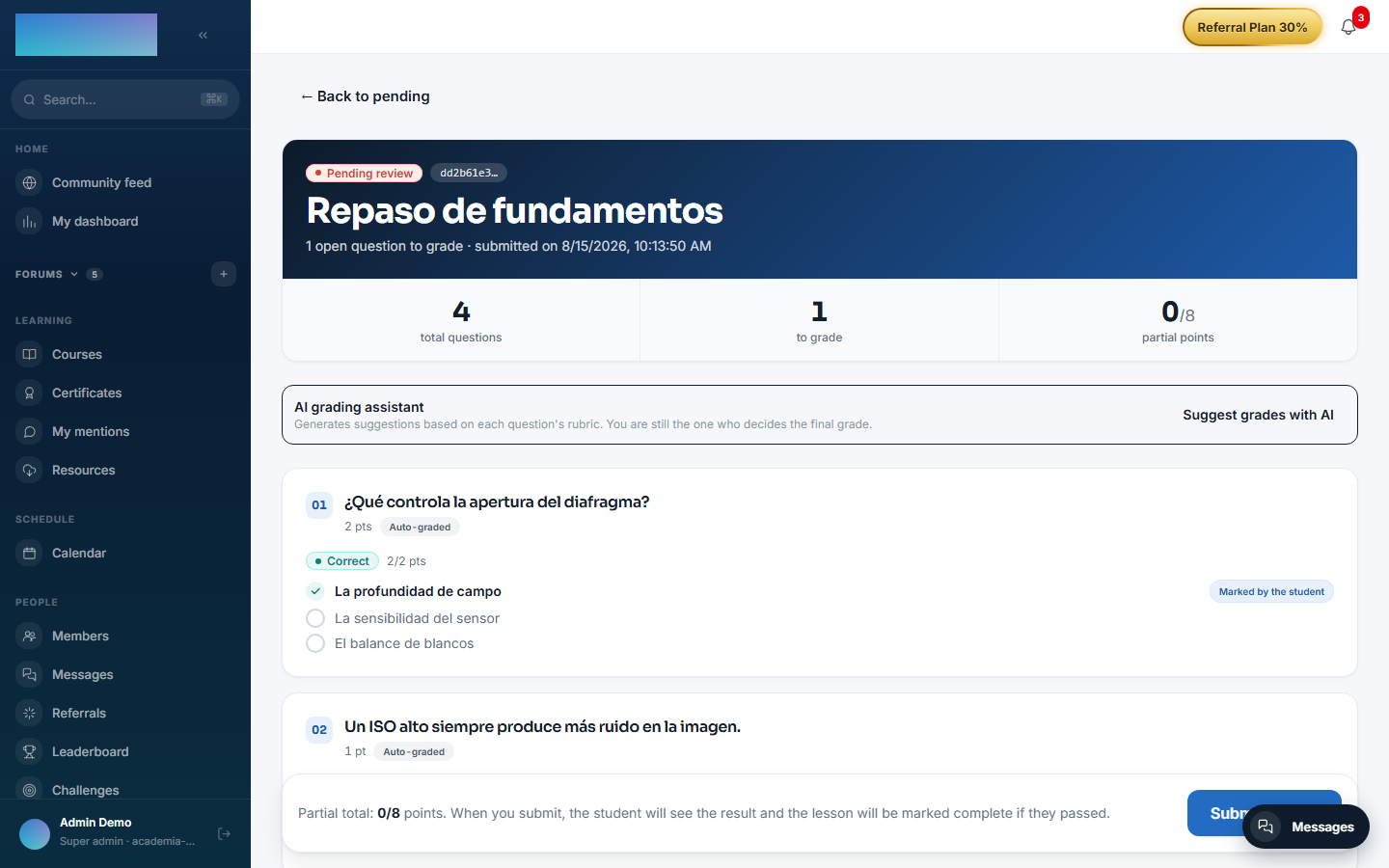
/formador/correcciones/[id]): you will see each question with the "Student's answer" and, for the open-ended ones, the "Points (max N)" and "Feedback (optional)" fields. - In the "AI grading assistant" block, click "Suggest grades with AI". One suggestion is generated per open question with a rubric; the notice sums it up: "N suggestions generated.", "N questions without a rubric." and "Tokens: N.".
-
Each suggestion appears under its question with the "AI suggestion" badge, the proposed score ("X/Y pts · provider"), the overall feedback and the per-criterion breakdown with its justification.
-
Click "Apply to the form" to copy the score and feedback into the grading fields — you can edit them before submitting. Applying only marks the suggestion for auditing. "Re-generate" forces a new model call and replaces the suggestion; without regenerating, re-entering the attempt serves the persisted one without spending tokens.
- Click "Submit grades": the grade is issued by mod.assessments (the single grading path), the student sees the result and the lesson is marked complete if they passed.
Dependencies
Optional: mod.assessments (the source of attempts, answers and questions).
Data model
mod_ai_grader_rubric (one per question: instructions + weighted criteria as JSON) · mod_ai_grader_suggestion (proposed score, per-criterion breakdown, provider/model, application traces).
API
Prefix /modules/ai-grader (instructor and above): rubric management and the suggestion cycle. Details in Reference → Payments, classroom and AI.
Events
Emits: ai-grader.suggestion.generated, ai-grader.suggestion.failed. It consumes none.