mod.messaging — Messaging
Community · Community category (can be disabled)
What it does
Native messaging with three conversation types:
- A chat room for every community space.
- Direct messages between members.
- An automatic private channel between each student and the instructor team (the staff enquiries inbox).
With real-time delivery over SSE, presence, a typing indicator, read receipts, an unread counter and rate limiting (20 messages/min, 30 typing signals/min).
How it works
- Uniqueness is enforced in the database: one conversation per space, one per student in the instructors channel, and one per pair of users in DMs (a canonical ordered key), which makes get-or-create idempotent.
- The author's name is stored as a snapshot on send (it survives renames and deletions, and avoids N+1 queries).
- The data model keeps deleted messages' bodies for auditing and the client renders them as "Message deleted"; today the API exposes no message-deletion action.
- The SSE stream opens with an ephemeral ticket (~60 s) because
EventSourcedoes not accept headers; events:message.created,typing,ping. - A suspended or deleted account cannot use messaging even if its token is still valid (checked against the database on every call).
- Rate limiting uses Redis and degrades to a local in-memory counter if Redis fails.
Configuration
- Activation —
Administration → Settings, "Modules" tab (/admin/configuracion): the toggle for "Mensajería · salas, directos y canal de profesores" (mod.messaging). With the module disabled the API answers "The messaging module is not active in this community.". - No per-tenant settings — the module exposes no settings screen of its own; the quotas (20 messages/min, 30 typing signals/min) are fixed in code.
REDIS_URL— used by realtime (pub/sub across API instances), presence and rate limiting. Without Redis messages are still persisted: rate limiting degrades to an in-memory counter and presence to a local mirror (enough with a single API instance); real-time fan-out across several instances does need Redis.- Rooms per space — they exist if
mod.communityis active (the module reads its spaces, read-only). - No feature requires an Enterprise license.
Step-by-step usage
The student (member):
-
Open
/mensajesfrom the "Messages" item in the People group. The list comes grouped into "Rooms", "Teachers" and "Direct messages", with a search box ("Search conversations…").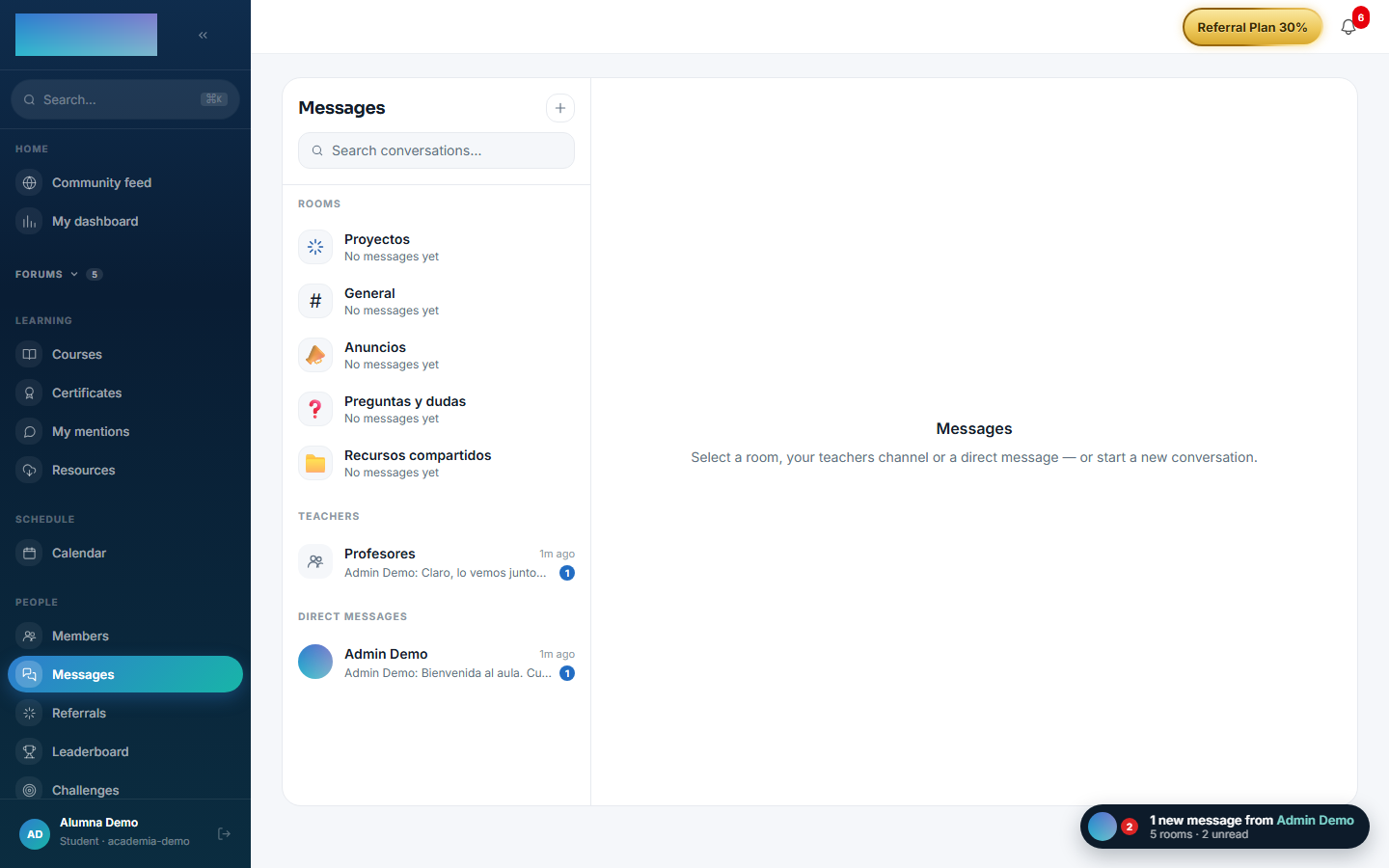
-
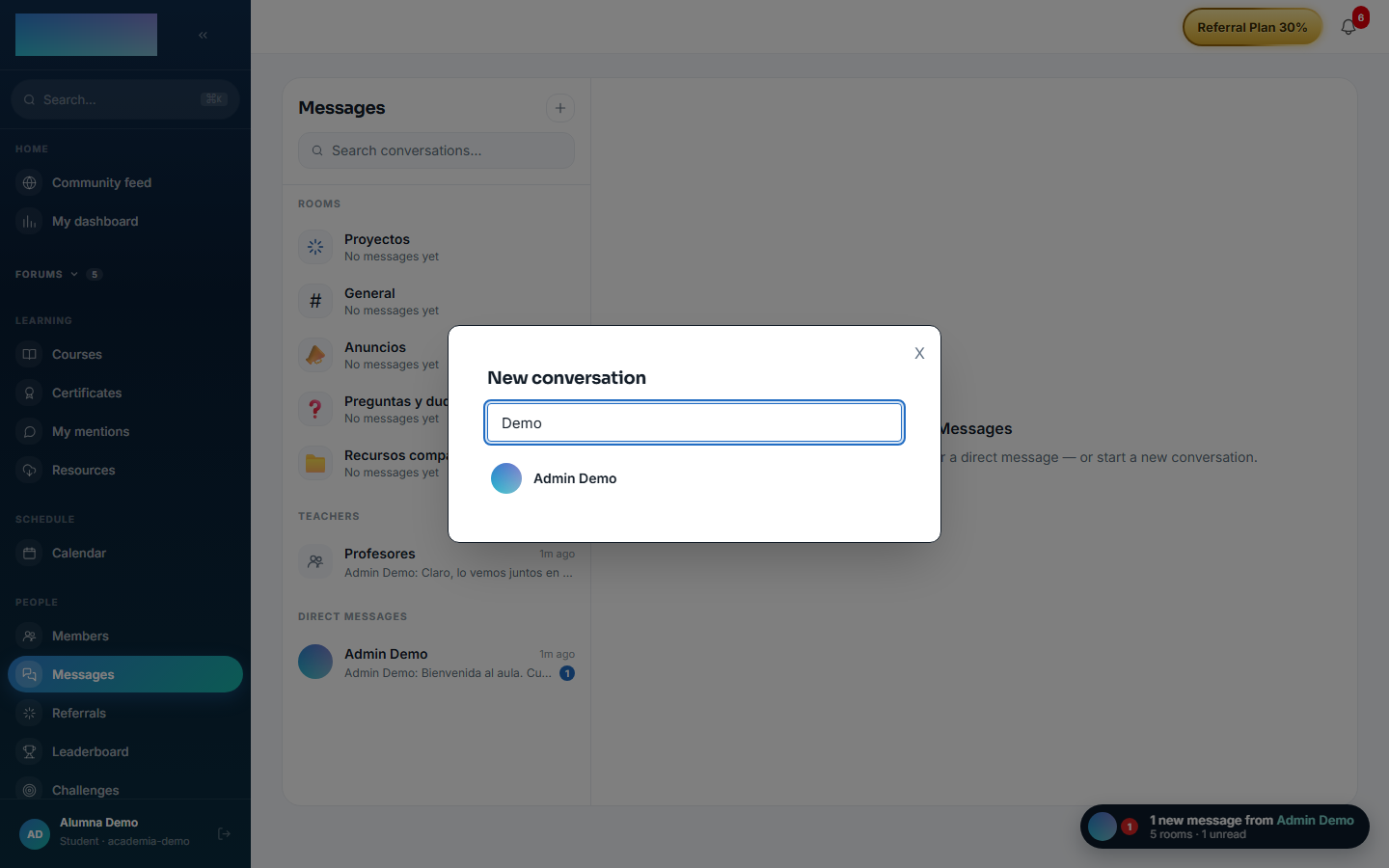
For a new DM, press the "New conversation" button (+) and search with "Search for a member by name…": picking someone opens the conversation (or reopens the existing one — get-or-create is idempotent).
-
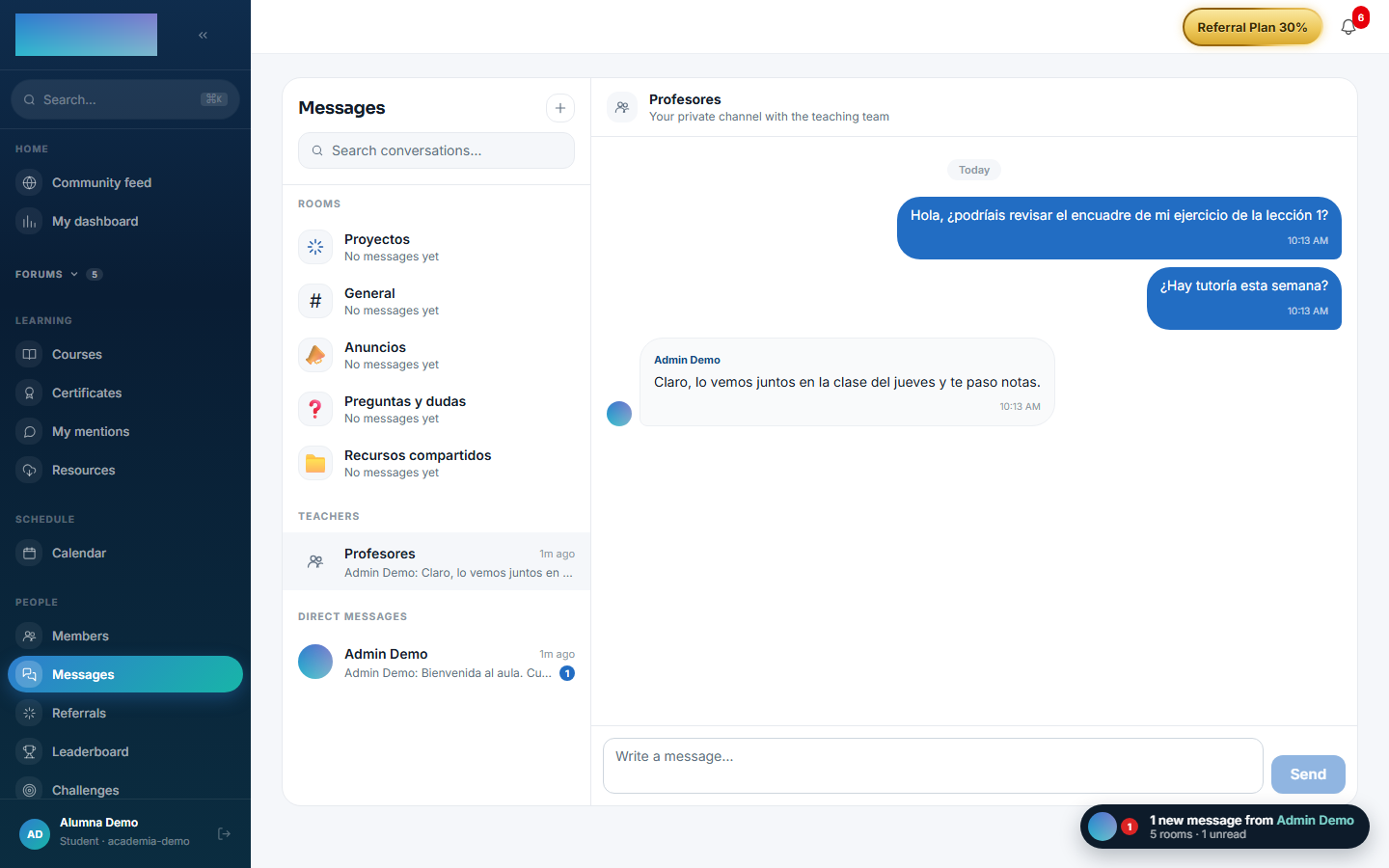
The "Teachers" channel already exists for every student, no setup needed: "Write your first question: the teaching team will see it right away."
-
Type in "Write a message…" and press "Send". Live, they'll see the typing indicator, "Online now" next to who is connected, read receipts and the per-conversation unread counter.
- The floating chat (the pill at the bottom right, visible across the whole app) opens these same conversations in a compact panel; "See all messages ›" leads to
/mensajes.
The staff (admin / instructor):
-
Each student's enquiries appear in the "Student inquiries" group of
/mensajes: one conversation per student, created automatically the first time they write. -
Reply right there; the student receives the message instantly over SSE (and as unread if they are not connected).
Dependencies
Optional: mod.community (reading spaces for the rooms).
Data model
mod_messaging_conversation (typed SPACE/DM/FACULTY, with a denormalised lastMessageAt) · mod_messaging_participant (with lastReadAt) · mod_messaging_message (author snapshot, attachment support, soft delete).
API
Prefix /modules/messaging (+ the SSE stream). Details in Reference → Community and people.
Events
Emits: messaging.conversation.created, messaging.message.sent. It consumes none.