mod.hello-world — Reference module
Community · Example category (can be disabled)
What it does
An example module and a starting template for building new modules. It demonstrates the four elements of the contract:
- A valid manifest parsed with the core-kernel's
parseModuleManifest. - The four lifecycle hooks (
onRegister,onEnable,onDisable,onUninstall), with comments describing what a real module would do in each one. - A domain service (
HelloWorldService) that receives theModuleContextand useseventBusandi18n. - A contract test suite that registers the module in a real
ModuleRegistryand verifies it end to end.
How to use it
The procedure for starting a new module: copy the folder, rename name/tablePrefix/apiNamespace/permissions, write the domain logic, implement the lifecycle and update the tests — the full guide is in Building a module.
The isolation rules every module honours — never import another module's code, never touch another module's tables with Prisma, never modify the core for your own features, and never emit events without declaring them — are collected in Building a module → The golden rules.
Configuration
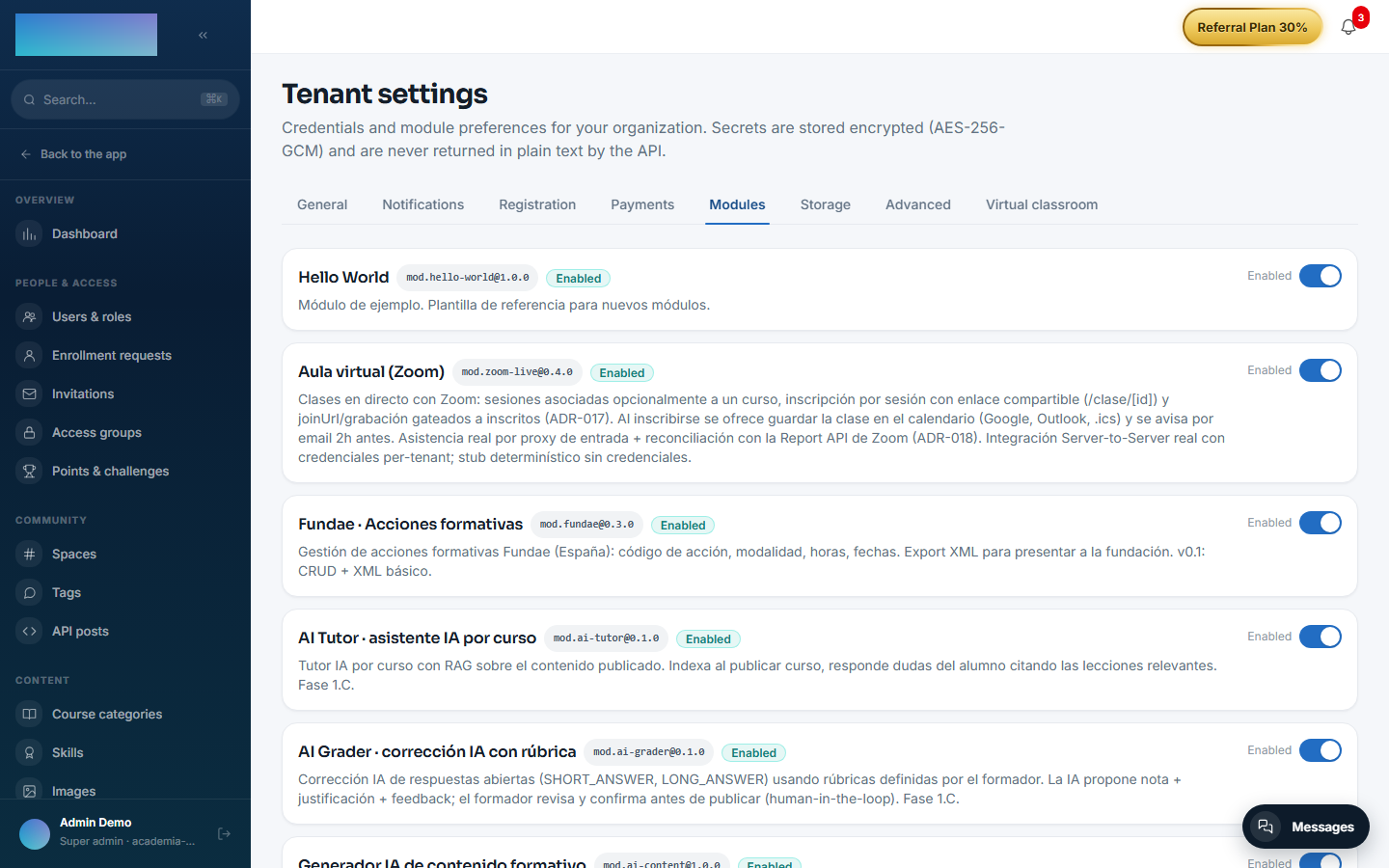
None of its own: no environment variables, no panel settings and no Enterprise capabilities. As a non-core module (category example), it ships registered in the instance and appears with its switch under Administration → Brand & settings → Settings, "Modules" tab (/admin/configuracion?tab=modules), where an admin can enable or disable it per tenant — its only visible surface.
Step-by-step usage
It is a template for developers; the flow lives in code, not in the panel:
- Copy the
modules/hello-world/folder asmodules/<your-slug>/. - In
src/manifest.ts, renamename,displayName,tablePrefix,apiNamespaceand the permissions. - Replace
HelloWorldServicewith your domain services and implement the four lifecycle hooks insrc/index.tswith real work (migrations inonEnable, cleanup inonDisable…). - Update
module.jsonand adapt thetests/contract.test.tssuite to your module. - Register it in the
registry.register([...])array ofapps/api/src/modules/module-registry.service.tsand follow the rest of the Building a module guide. - To see it running, open
/admin/configuracion?tab=modules: "Hello World" is listed with its switch, exactly as your module will be.
Data, API and events
- It declares a
tablePrefixbut creates no tables (it does not need any). - It declares the
apiNamespace /modules/hello-worldbut exposes no real endpoints. - It declares the
hello-world.greeting.requestedevent and thehello-world.greeting.readpermission as an example of the contract.