mod.payment-connections — Payment connections
Community · Core category (always active)
What it does
It connects several payment accounts in read-only mode (Stripe with a restricted key, plus PayPal and WooCommerce readers) and reconciles their active subscriptions against Didacta users by email. On that foundation it builds:
- The tier catalog (a manual level assigned by the admin and/or derived from payment), which other modules consume (drip, access groups).
- A subscription control dashboard materialised by a sync worker, with renewal links and reminder emails.
- The order mirror for external stores (WooCommerce, with a signed webhook) and access classification rules (
LIFETIME,SUBSCRIPTION,TIMED…), with expiry notices. - Bulk invitations for subscribers who are not in Didacta yet.
What it is NOT
It creates no charges: to sell, use mod.billing and mod.subscriptions. Cancelling is a deep link into the Stripe portal — the model is 100% read-only over the connected accounts.
How it works
- Matching is by normalised email (lowercase + trim) on both sides;
active,trialingandpast_dueall count as active. - The effective tier resolves as: manual → derived from payment → "Unknown". Changes publish
payment_connections.user_tier.changed, whichmod.access-groupsconsumes to reconcile memberships. - API keys are stored encrypted per connection; they never come back in a GET.
- The dashboard reads only the materialised table — it never queries the providers live.
Configuration
The module belongs to the core category: it is always active and has no switch of its own. The whole admin screen is super_admin only (it shows customers' payment data). Nothing requires an Enterprise licence.
Everything is configured on a single screen: /admin/integraciones/payment-connections ("Payment connections"), which chains four blocks:
Connecting accounts
The "Connect a payment account" form: a "Provider" selector, an "Account name" field and the per-provider credentials — all stored encrypted and validated when you click "Connect":
- Stripe — "Stripe API key (restricted, read-only)": create a restricted key in your Stripe dashboard with
Customers = ReadandSubscriptions = Readpermissions (optionallyInvoices = Read, needed for the invoice links in the reminders). - PayPal — "PayPal Client ID" + "Secret" of a REST app with the "Transaction Search" permission, plus the "Environment" (Live/Sandbox).
- WooCommerce — the store URL (https) + "Consumer Key" / "Consumer Secret" (WooCommerce → Settings → Advanced → REST API, Read permission). Requires the WooCommerce Subscriptions plugin.
Each listed connection shows its status ("Verified" / "Error"…), the Live or "test mode" badge and the actions "View subscribers", "Verify" and "Disconnect" (which also deletes the stored key; subscriptions at the provider are untouched).
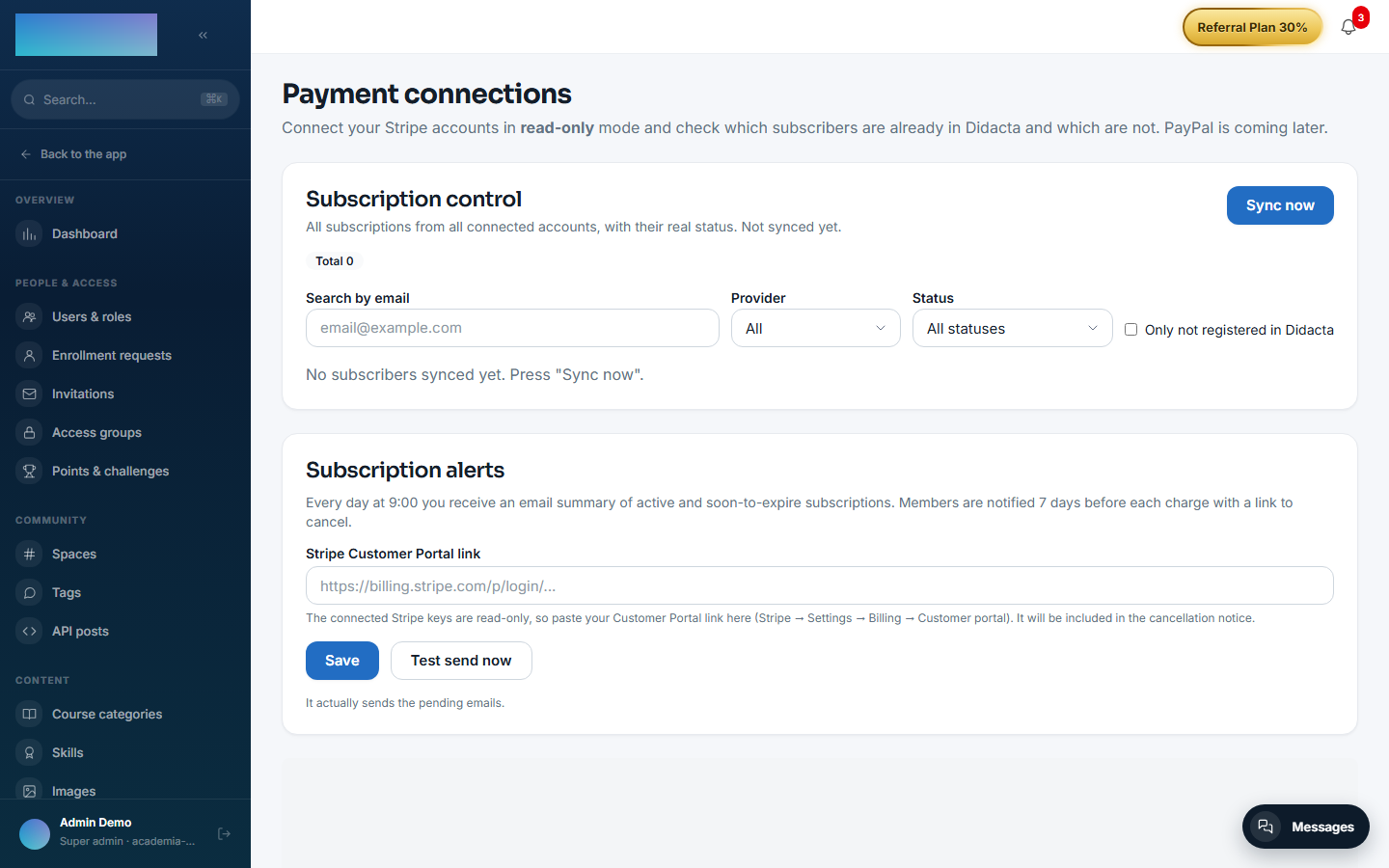
Subscription control (dashboard)
The "Subscription control" block on the same screen: a "Sync now" button (besides the cron), the filters "Search by email", "Provider", "Status" and "Only not registered in Didacta", and a per-row "Reminder" button that sends the renewal email (template editable from the modal itself, per tenant).
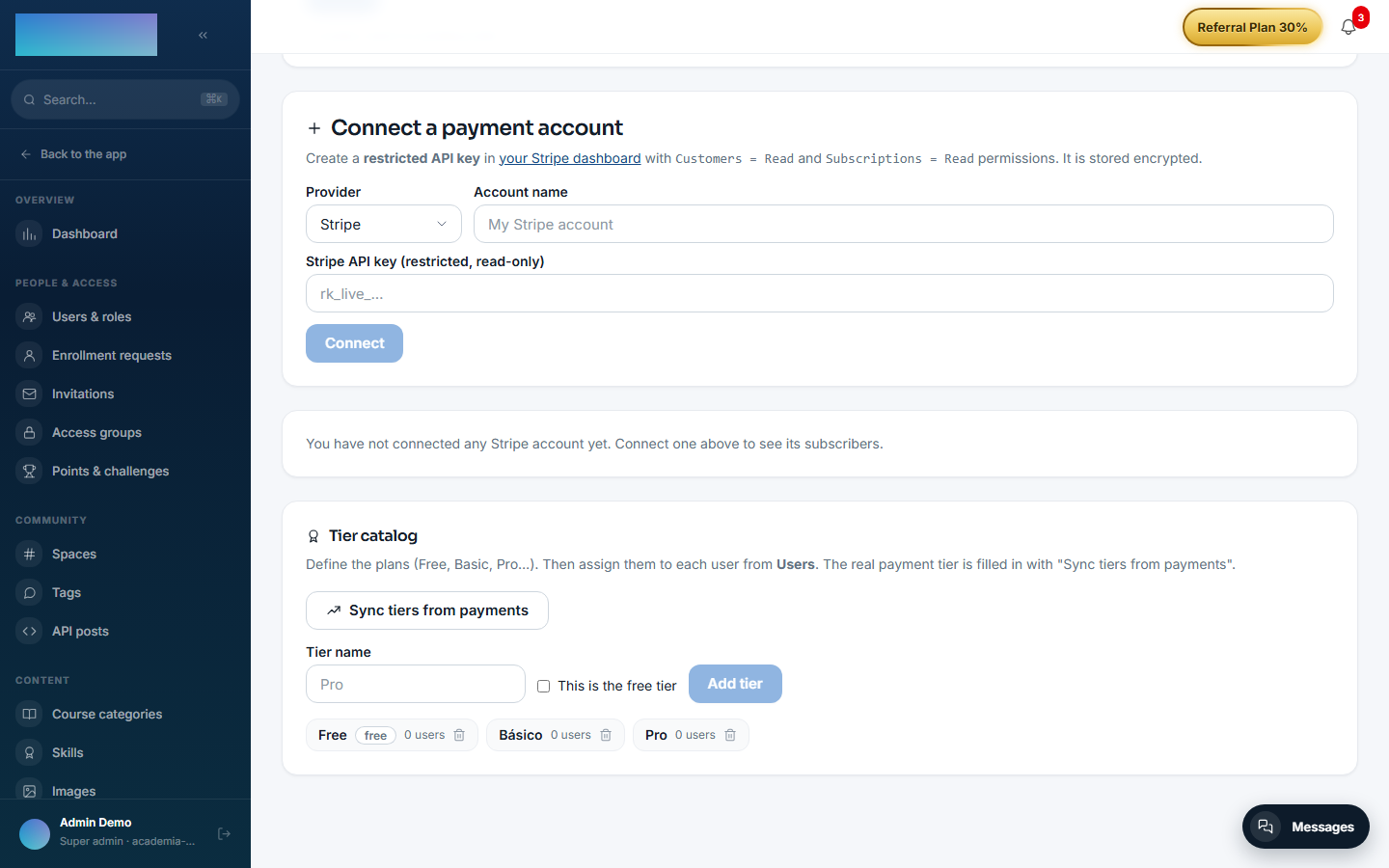
Tier catalog
The "Tier catalog" block: a "Tier name" field, the "This is the free tier" toggle, the "Add tier" button and "Sync tiers from payments" (creates tiers from the accounts' real plans and fills in each user's payment tier). Manual per-user assignment is done from Users.
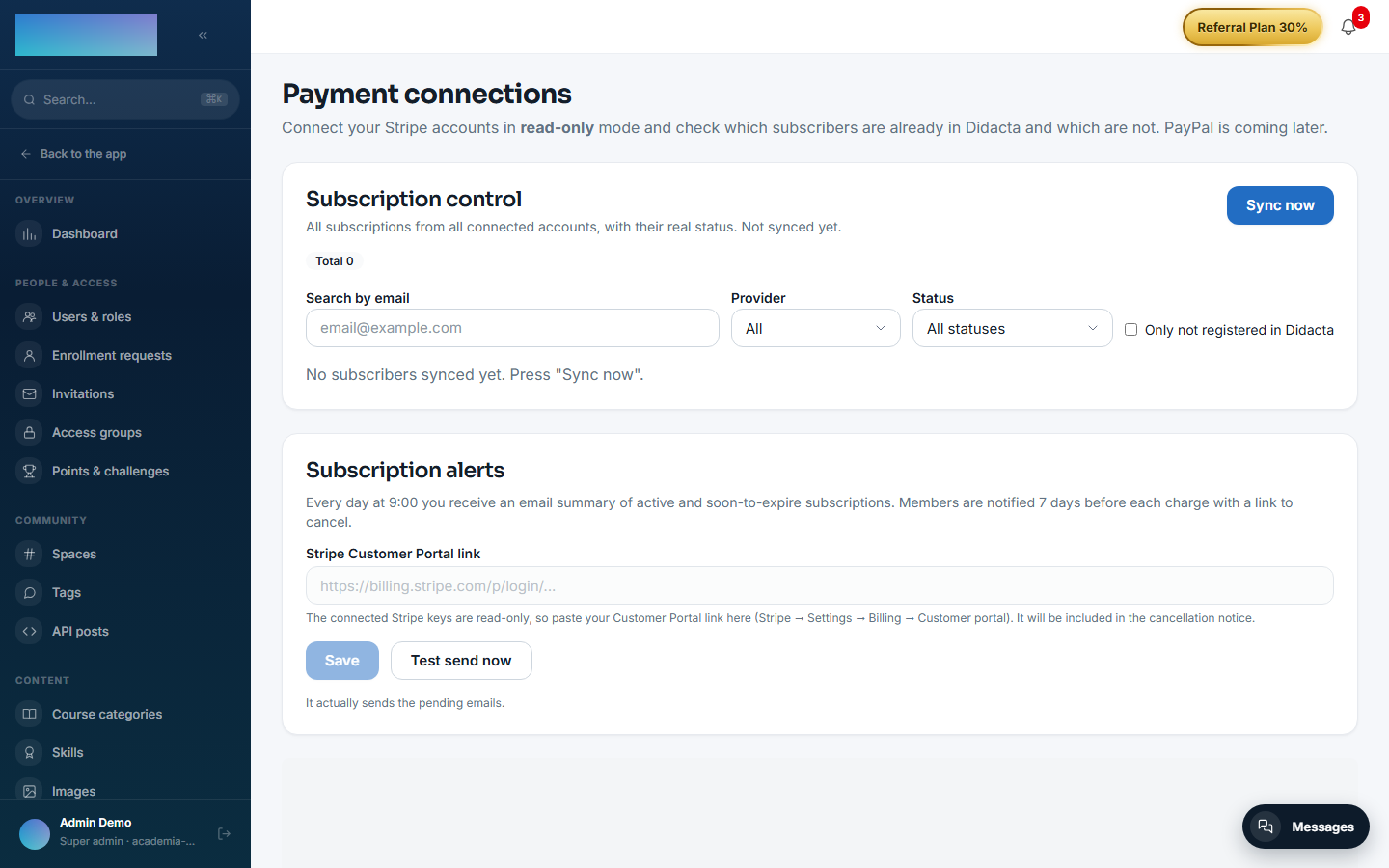
Subscription alerts
The "Subscription alerts" block: the "Stripe Customer Portal link" field (the connected keys are read-only, so the cancellation link is pasted by hand: Stripe → Settings → Billing → Customer portal), plus the "Save" and "Test send now" buttons. With this in place, every day at 9:00 the admins receive the summary of active and soon-to-expire subscriptions, and each member is warned 7 days before their charge with the link to cancel.
WooCommerce webhook (order mirror)
- URL to register in the store:
https://<your-academy-domain>/api/v1/modules/payment-connections/woo-webhook?tenant=<tenant-slug>(topicsorder.created/order.updated). WooCommerce's verification ping is answered automatically. - The webhook signing secret and the product classification rules (
LIFETIME,SUBSCRIPTION,TIMED…) have no screen of their own today: they are set through the API (PUT /modules/payment-connections/orders-mirror/webhook-secretandPUT /modules/payment-connections/orders-mirror/rules). They are stored per tenant, the secret encrypted.
Environment variables
| Variable | What it is for |
|---|---|
PAYMENT_SUBSCRIBERS_SYNC_CRON |
Cron of the worker materialising subscribers (*/15 * * * *). |
SUBSCRIPTIONS_DAILY_CRON / SUBSCRIPTIONS_DAILY_TZ |
Daily summary to the admins (0 9 * * *, UTC). |
SUBSCRIPTIONS_RENEWAL_WINDOW_DAYS |
Window of the renewal notices (7 days). |
Credentials, the Woo webhook secret, the renewal template and the cancellation portal URL are all per tenant, encrypted in the database — no variables of their own.
Step-by-step usage
- Create the restricted key in Stripe (
Customers = Read+Subscriptions = Read, optionallyInvoices = Read) and connect it under "Connect a payment account" → "Connect". The connection ends up "Verified" with the account's details. - Click "View subscribers": the live reconciliation splits "In Didacta with an active subscription" from "Subscribers NOT in Didacta". In the second table, "Select all with email" → "Invite (n)" creates their accounts (PENDING) and sends the activation email.
- Under "Subscription control", click "Sync now" (or wait for the cron, every 15 min): the materialised table shows every subscription of every account with its real status ("Active", "Payment overdue (unpaid)", "Cancelled"…). Filter by email, provider or status; the "Reminder" button sends the renewal email with the open invoice's payment link (if the key can read Invoices).
- Tiers: create the catalog (Free, Basic, Pro…), click "Sync tiers from payments" to derive each user's real tier, and adjust manually from Users where needed. Every tier change publishes
payment_connections.user_tier.changed, which access groups consume. - Under "Subscription alerts", paste your "Stripe Customer Portal link" and use "Test send now" to verify the circuit. After that, the daily summary and the 7-day notices go out on their own.
- With WooCommerce: connect the store, register the signed webhook pointing to the URL with
?tenant=, and set the secret through the API. The order mirror surfaces one-off purchases ("lifetime access") in the member enrollment requests and warns aboutTIMEDaccess expiries. - What the end user sees: under
/cuenta?tab=suscripcion(the "Subscription" tab) their external subscription appears with status and amount, plus the "Manage my subscription" button (opens the Stripe Customer Portal) or, without a portal, "View / pay invoice ↗" and a note to contact the academy.
Dependencies
None.
Data model
mod_payment_connections_connection · _log · _tier · _user_tier · _subscriber (materialised snapshot) · _order (order mirror with entitlement and expiry) · _sync_history.
API
Prefix /modules/payment-connections (super_admin, except the self-service me/* endpoints). Details in Reference → Payments.
Events
Emits: payment_connections.user_tier.changed. It consumes none.