mod.gamification — Points and challenges
Community · Engagement category (deliberately optional)
What it does
It turns community activity into an auditable points ledger, with two deliberately distinct layers:
- Activity — automatic entries triggered by events on the bus (post, comment, resource, course completed, referral…), with low weights and a per-rule daily cap: they reward consistency, not volume.
- Milestones — challenges with mandatory proof and human review, carrying high weights.
On top of that, levels are computed on lifetime points and never go down; the leaderboard is computed over a date range (week/month/all time) and does move. A level unlocks perks defined by the operator (a 1:1 session, an extra class…) with a per-student quota and an optional waiting period; the student requests them and a person handles them.
How it works
- The only real defence against double-crediting is the
(tenant, user, sourceKey)uniqueness constraint, wheresourceKeyidentifies the fact (community.post:<id>), not the event — the bus delivers at least once. - Perks never touch access groups: access to courses is a paid product and cannot be earned by participating (an explicit product decision).
- Moderating content (hiding it) revokes the points it granted; restoring it gives them back.
- The backfill populates the ledger with historical activity: idempotent, repeatable, excluding hidden content and API posts, and it does not apply the daily cap retroactively.
- Levels and challenges start empty on purpose (their names and rewards are branding decisions); only the weighting rules are seeded.
Configuration
- Activation —
Administration → Settings, "Modules" tab (/admin/configuracion): the toggle for "Puntos y retos" (mod.gamification). Disabling it removes "Leaderboard" and "Challenges" from the menu, and "Points & challenges" from the admin area. - A single panel —
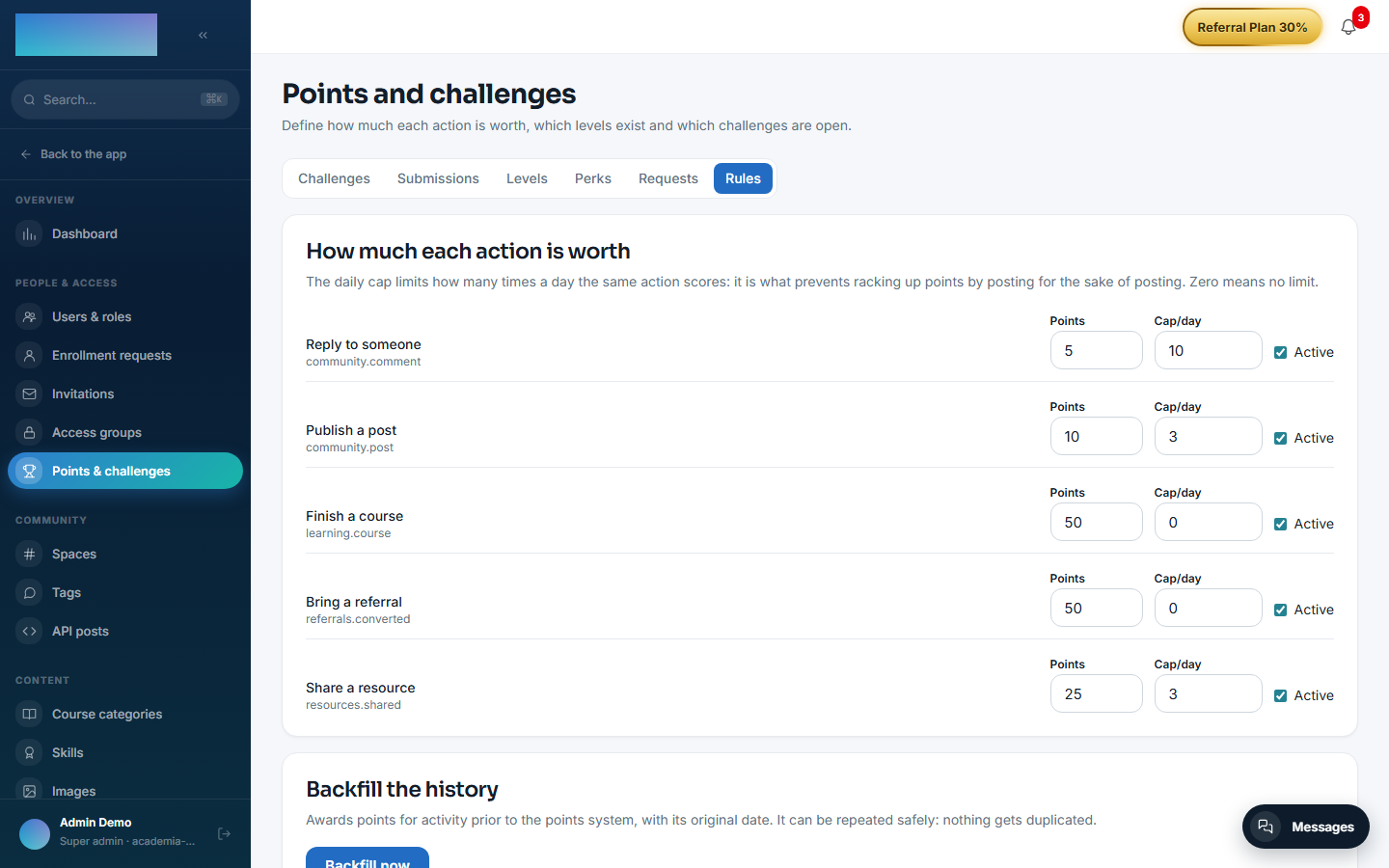
/admin/gamificacion("Points and challenges", People & access group of the admin area), with 6 tabs: "Challenges", "Submissions", "Levels", "Perks", "Requests" and "Rules". - Scoring rules — "Rules" tab ("How much each action is worth"): for each action ("Publish a post", "Reply to someone", "Share a resource", "Finish a course", "Bring a referral") you set "Points", "Cap/day" (0 = no limit) and the "Active" checkbox. Rules come seeded with default weights.
- Backfilling history — same "Rules" tab, the "Backfill the history" card with the "Backfill now" button: awards points for prior activity with its original date; it can be repeated without duplicating anything.
- Roles — rules, levels, perks and the backfill:
super_admin/tenant_adminonly; challenges, submissions and perk requests: alsoformador(instructor). - No environment variables of its own. No feature requires an Enterprise license.
Step-by-step usage
The operator:
- Review the weights and caps in "Rules"; they come seeded, but how much each action is worth is your call.
- Build the ladder in "Levels": "New level" with "Name", "From (points)" and "Benefit". Until the first one exists nobody has a level — points accumulate all the same.
- Hang "Perks" from each level: "What it unlocks", "Level that unlocks it", "Times per student (0 = no limit)" and "Wait between requests (days)". A perk can be paused ("Pause") without deleting it.
- Publish challenges in "Challenges": title, "Points", "What needs to be done" and the "Require proof (screenshot, file or link) to be able to submit" checkbox. They start as a "Draft": press "Open" when the community should see them.
-
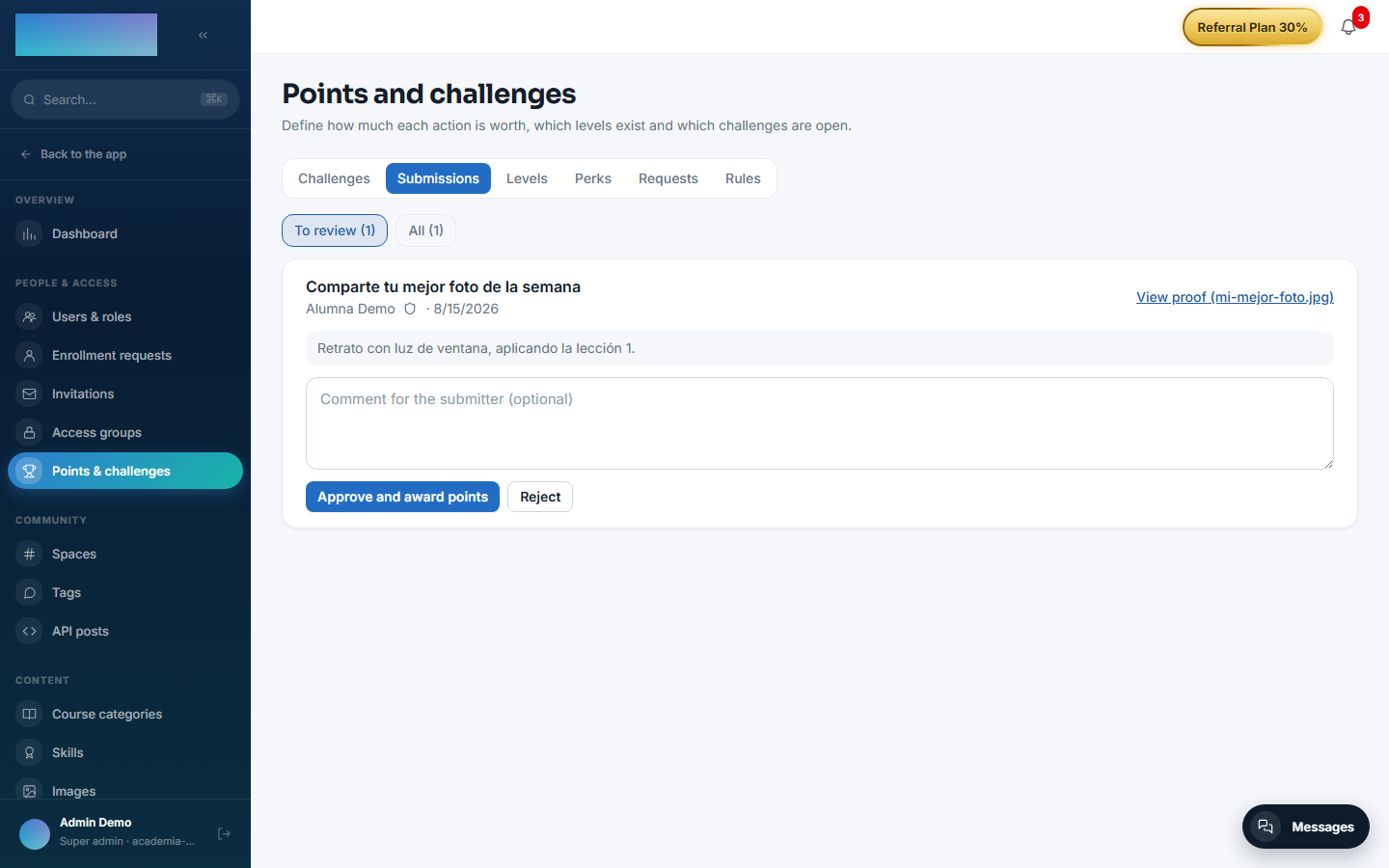
Review submissions in "Submissions" ("To review" tab): "View proof", an optional comment and "Approve and award points" or "Reject". The comment is shown to the submitter.
-
Handle perk requests in "Requests": "Approve" the request, fulfil it in the real world and "Mark as done" (or "Reject" with an optional reply).
- If the community was already active before points existed, "Backfill now": the summary reports how many new entries came from posts, comments, resources, courses and referrals.
The student:
-
/retos("Challenges", People group): the header says how many points they have, how many are missing for the next level and which challenge gets them there fastest ("Submit the quickest challenge"). Below: "Your ladder" with the levels, "What you can spend your points on" with the perks, and "Open challenges".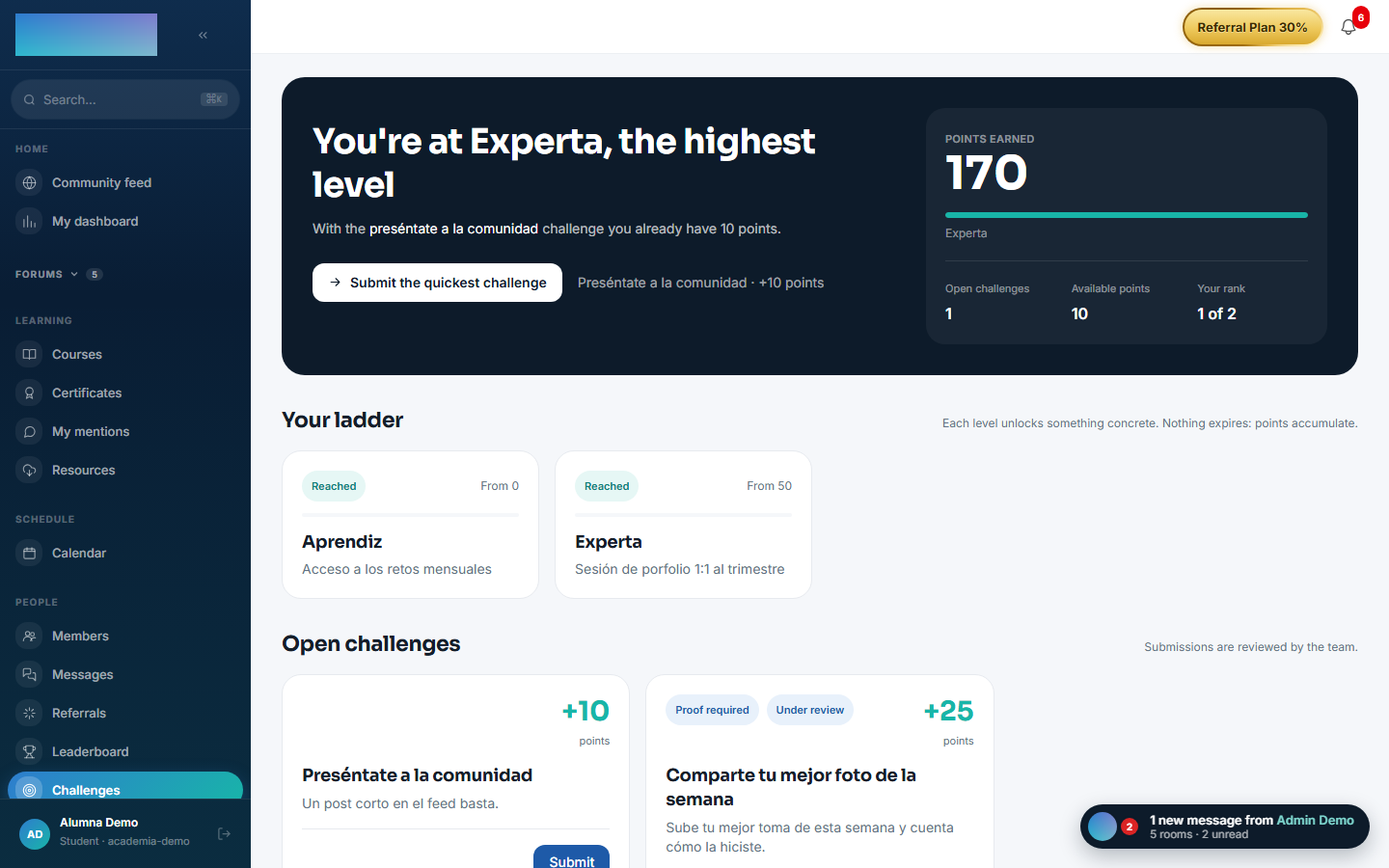
-
"Submit" opens the submission modal: what they did, the proof (file or link, mandatory if the challenge requires it) and a confirmation — each challenge can be submitted only once. It stays "Under review" until the team resolves it.
- With a perk unlocked, "Request it" creates the request; the screen shows its state ("Requested", "Approved", "Done") and when it can be requested again if there is a waiting period.
-
/leaderboard("Leaderboard"): the ranking for "This month", "This week" or "All time", with "Your points", "Your rank" and "Your level" on top.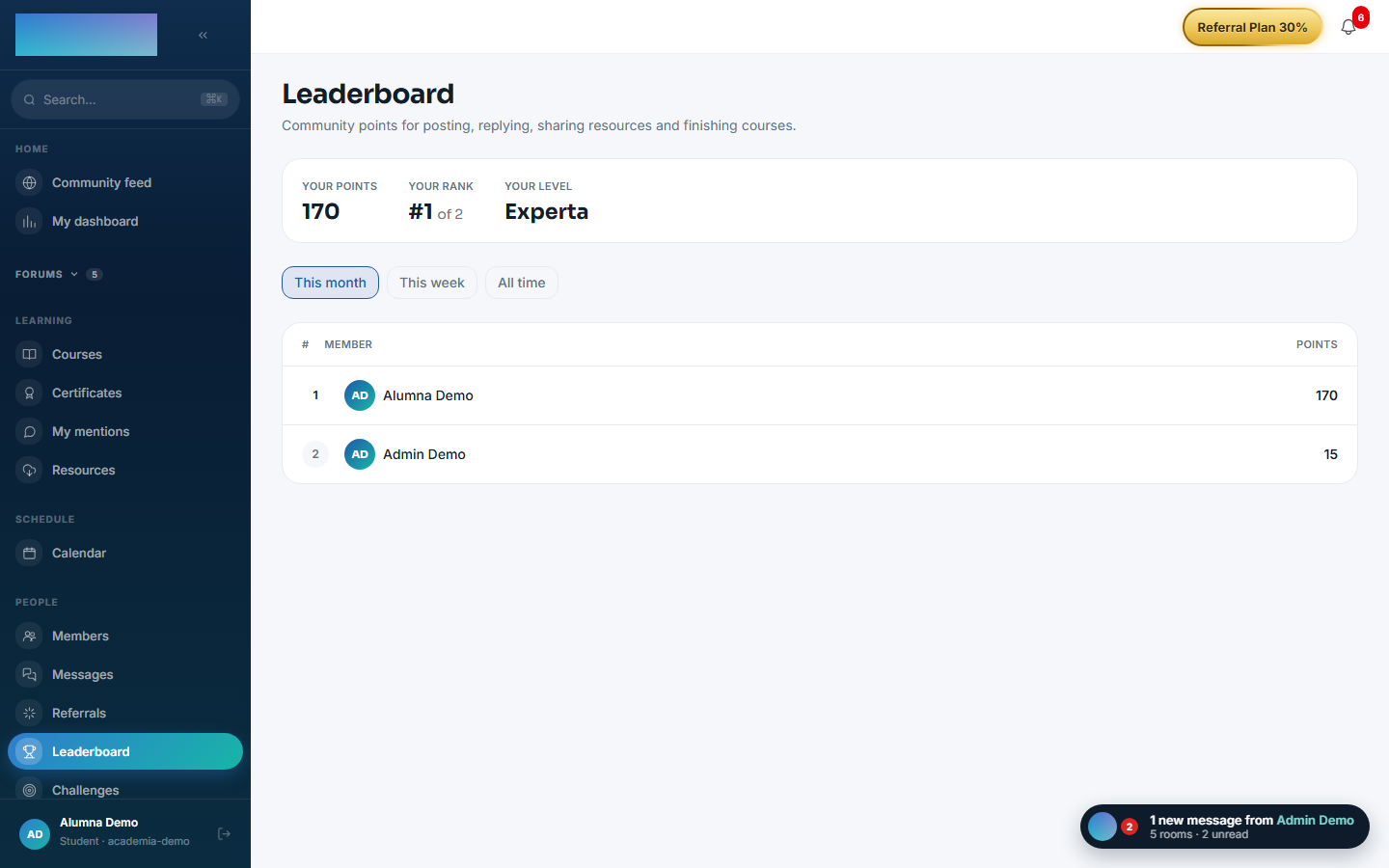
Dependencies
Optional (read-only, for the backfill): mod.community, mod.learning, mod.resources.
Data model
mod_gamification_ledger_entry (an entry, append-only except for revocation) · _profile (materialised balance) · _rule · _level · _perk · _perk_request · _challenge · _submission (one submission per challenge and person).
API
Prefix /modules/gamification (member + /admin). Details in Reference → Community and people.
Events
- Emits:
gamification.points.awarded/revoked,gamification.level.changed,gamification.challenge.submitted/reviewed,gamification.perk.requested/handled. - Consumes:
community.post.created/comment.created/post.hidden/unhidden/comment.hidden/unhidden,resources.resource.created/deleted,learning.course.completed,referrals.referral.attributed.