mod.fundae — Fundae compliance
Community · Compliance category (can be disabled)
What it does
Regulatory compliance for subsidised training in Spain (Royal Decree 694/2017):
- Training actions with a code, delivery mode (
PRESENCIAL/TELEFORMACION/MIXTA), hours, dates and content blocks. - Subsidised companies with a validated tax ID (DNI/NIE/CIF checksum), social security account code (CCC) and annual credit.
- RLPT notices to the workers' legal representatives, with the statutory 15 calendar day period calculated automatically and the evidence (PDF) stored in the Evidence Vault with its hash.
- Subsidised groups with a lifecycle (
DRAFT → ACTIVE → CLOSED/CANCELLED), allocated costs and named participant enrollment. - Completion with a configurable threshold (75% by default): APTO / NO_APTO / EN_CURSO per participant, with a
previewmode. - Exports: group start and group end XML files, plus a complete audit ZIP (
manifest.jsonwith a SHA-256 hash for every artifact + XMLs + CSVs + RLPT evidence), verifiable offline against those hashes.
How it works
- Starting a group validates the RLPT lead time (15 days) and the company's available credit; closing the group debits the credit consumed.
- A company's tax ID is immutable once created (a change of tax ID means a new company, for traceability).
- The block hours cannot add up to more than the action's hours (Fundae checks this when the XML is uploaded).
- It is the natural consumer of the
courses.publish.validatehook: it can block a course from being published if objectives or duration are missing. - The whole surface is admin-only: every endpoint requires
super_adminortenant_admin. The instructor role has no access to Fundae.
Configuration
- Enabling or disabling the module:
/admin/configuracion, Modules tab — a per-organization switch. - Access: the Fundae entry in the Integrations & API group of the admin menu (
/admin/fundae); onlytenant_adminandsuper_adminsee it. - Completion threshold: per group (
umbralFinalizacionPct, 1–100; 75 by default), set through the API when creating or editing the group; the completion calculation also accepts a one-offumbralOverridewithout touching the persisted config. The panel shows the applied value as Threshold {pct}%. - No environment variables of its own. Nothing requires an Enterprise license.
Step by step
Register the action and the company:
-
In
/admin/fundae, click New action and fill in Action code (unique per tenant), Delivery mode, Name, Start date, End date and Hours; optionally Location, Training center tax ID (CIF/NIF), Linked course UUID (optional) and Internal notes (not included in the XML). Click Create action.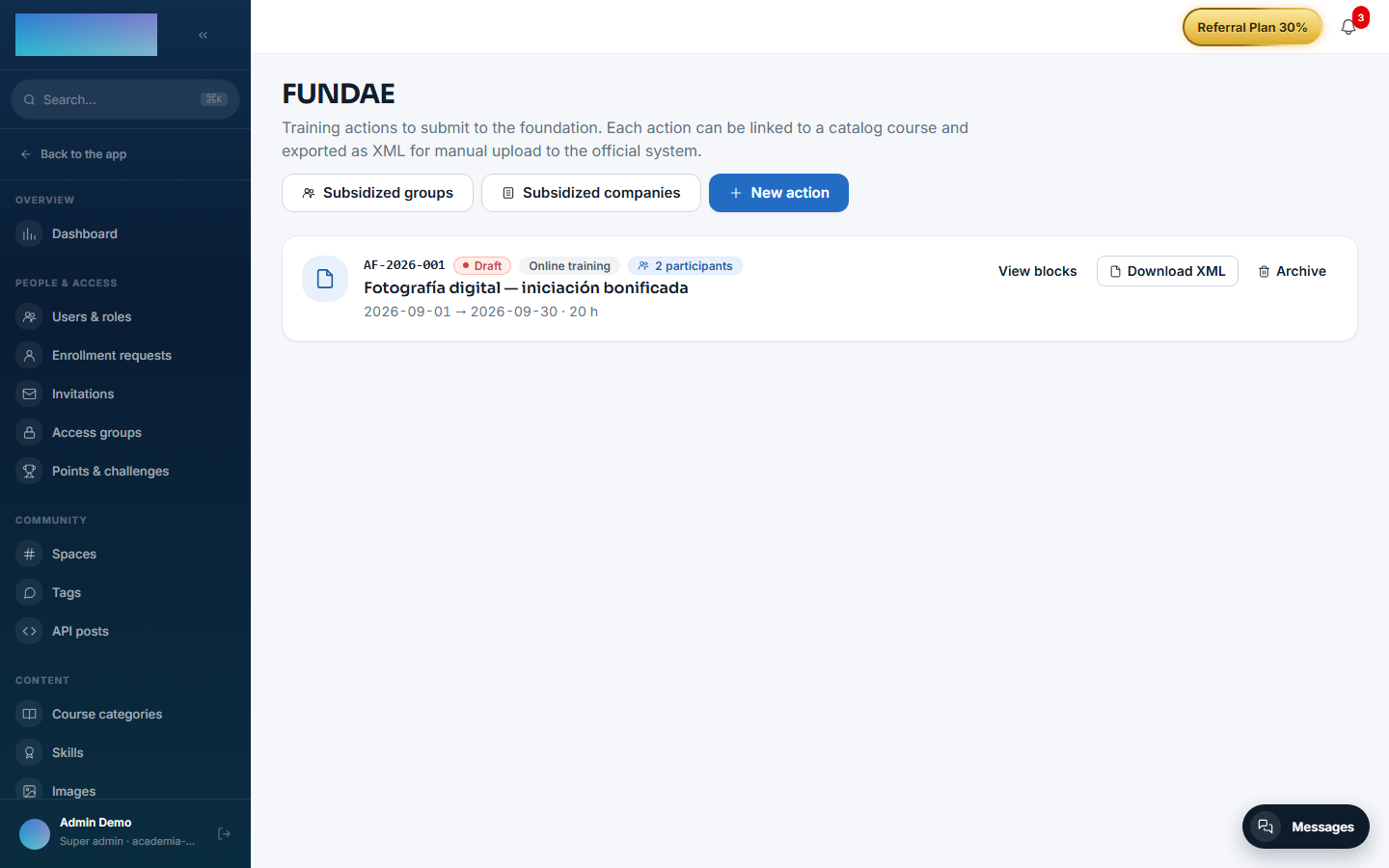
-
Open View blocks (
/admin/fundae/<id>) and break the action down with Add block (title, hours, delivery mode, contents); the screen shows how many hours are left up to the action's maximum. If the action has a linked course, the Participants section lists the active enrollments and lets you download each one's PDF evidence; Download submission ZIP bundles the XML with all the evidence files. From the list, Download XML exports the action's XML.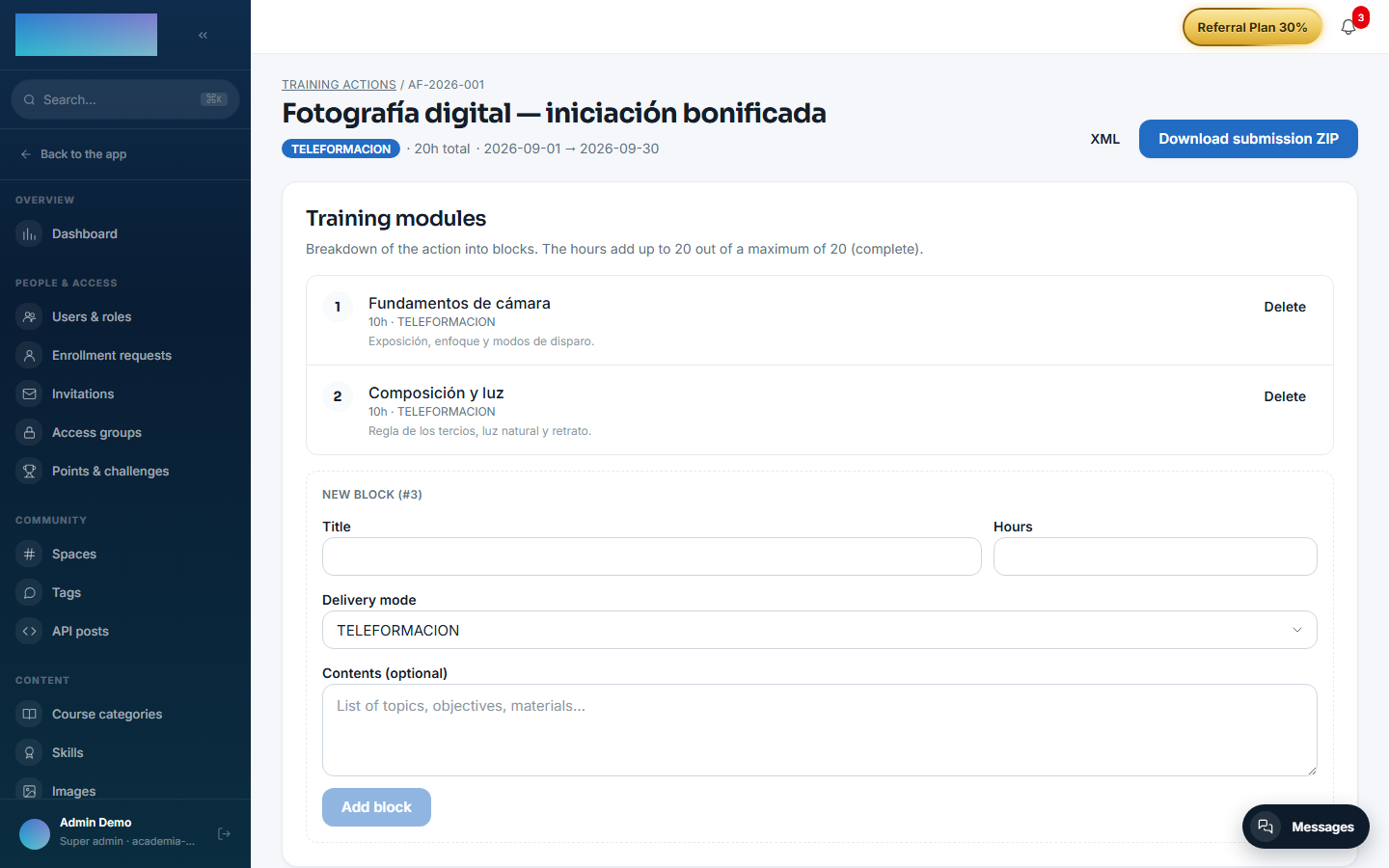
-
In
/admin/fundae/empresas(Subsidized companies), click New company: NIF / CIF (checksum-validated; immutable afterwards), Company name, Social Security contribution account code, Workforce, FUNDAE credit (€) and contact details. Click Create company. - Open Detail / RLPT (
/admin/fundae/empresas/<id>) and click Upload document: type (Initial notification, Acknowledgement of receipt or Statement of disagreement), date and the PDF or image (max 10 MB, persisted with a SHA-256 hash). The header shows whether the company already meets the 15 calendar days required to start groups.
Operate the subsidised group:
- In
/admin/fundae/grupos(Subsidized groups), click New group: Training action ID, Subsidized company ID, Delivery mode, planned dates and Estimated credit (€). The group is created in Draft. - Open View detail and enroll participants: one by one with Enroll (student UUID) or everyone enrolled in the linked course with Bulk enroll from course. Record costs with Add cost (Direct, Indirect or Organization).
- Click Start group: it validates the 15-day RLPT lead time and the company's available credit. With the group active, generate the Start XML.
- To close: Completion preview computes APTO / NO_APTO / EN_CURSO per participant with the applied threshold (without persisting), Persist completion consolidates it, and Close group debits the consumed credit. Then download the Completion XML and the Audit ZIP.
Dependencies
Optional: mod.courses (validating the linked course) and mod.learning (enrollments and completion).
Data model
mod_fundae_action · _block · _company · _rlpt_notice · _group · _cost · _group_participant.
API
Prefix /modules/fundae (actions, exports) + the admin surface at /admin/fundae/* (companies, RLPT, groups, costs, participants). Details in Reference → Learning and Reference → Administration.
Events
Emits 24 events covering the whole cycle: fundae.action.*, fundae.company.*, fundae.rlpt.notice.*, fundae.group.* (including XML and ZIP generation), fundae.cost.*, fundae.export.generated. It consumes none.