mod.resources — Resource library
Community · Engagement category (can be disabled)
What it does
A library of community resources, organised into collections and searchable: workflows from the classes, skills, an AI tool directory and templates. Each resource is either a file uploaded to the tenant's storage (FILE) or an external link (LINK), can be tied to the live class that produced it, and carries a download counter.
How it works
- The first visit seeds 6 default collections; staff can create more, each with a cover image.
- Any member can share resources; deleting is available to the author (for their own) or to staff (for any).
- Deleting a collection that still holds resources is blocked on purpose (
Restrict, not cascade): you have to empty it first — content is never lost silently. POST /:id/downloadrecords the download/open and returns the URL: the counter feeds the popularity ordering.
Configuration
- Activation —
Administration → Settings, "Modules" tab (/admin/configuracion): the toggle for "Biblioteca de recursos" (mod.resources). Disabling it removes the "Resources" item from the Learning group of the menu. - Collections — there is no separate admin screen: staff (
super_admin,tenant_admin,formador) manage them from the/recursospage itself, with "New collection" and the edit button on each card. The first visit seeds 6 collections ("Workflows de clase", "Skills y agentes", "Herramientas de IA", "Plantillas y sistemas", "Guías y contratos", "Casos y resultados"), all editable. - Storage — file resources upload to the tenant's storage, configured on the "Storage" tab of
/admin/configuracion(the container's local disk or an S3-compatible bucket). - No environment variables of its own and no further settings. No feature requires an Enterprise license.
Step-by-step usage
The staff (admin or instructor):
-
In
/recursos, press "New collection": "Title", "Description" and "Cover" (without a cover the brand gradient is used).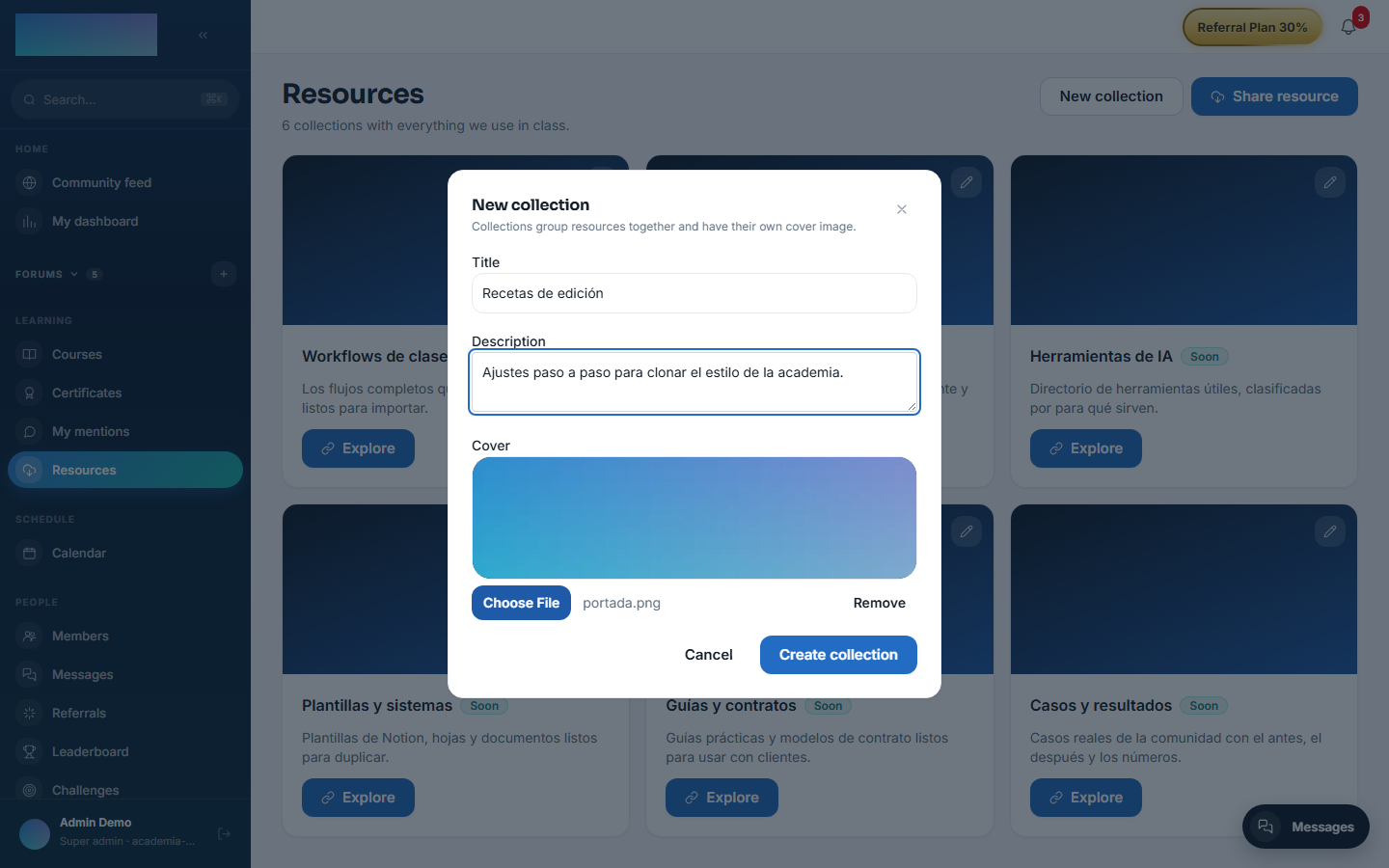
-
Edit any collection with "Edit collection" (the button on the card); changing the cover or the text does not touch the resources.
- Staff can delete any resource; a collection can only be deleted once it is empty.
Any member:
-
/recursos("Resources", Learning group) shows the grid of collections with their resource counts.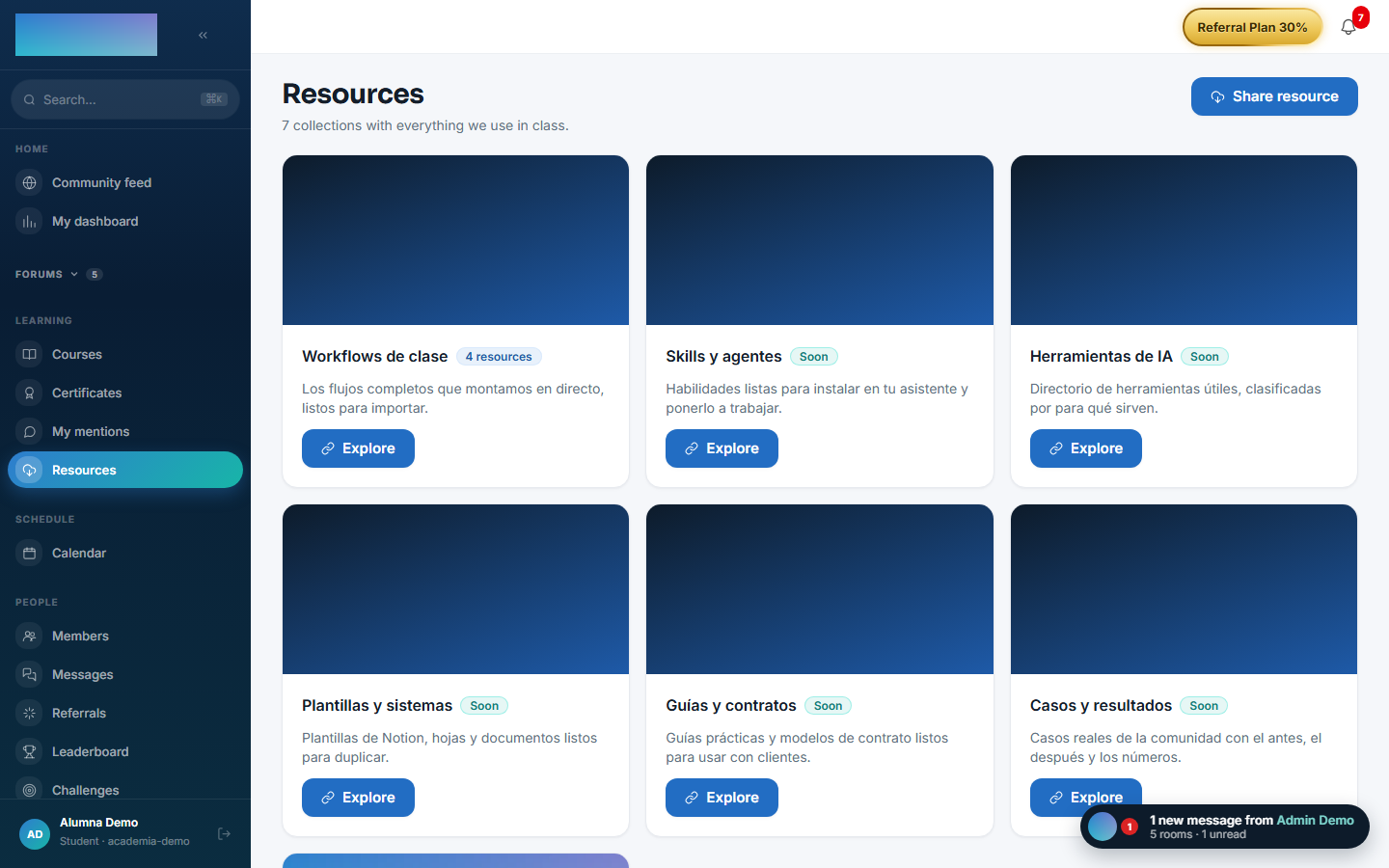
-
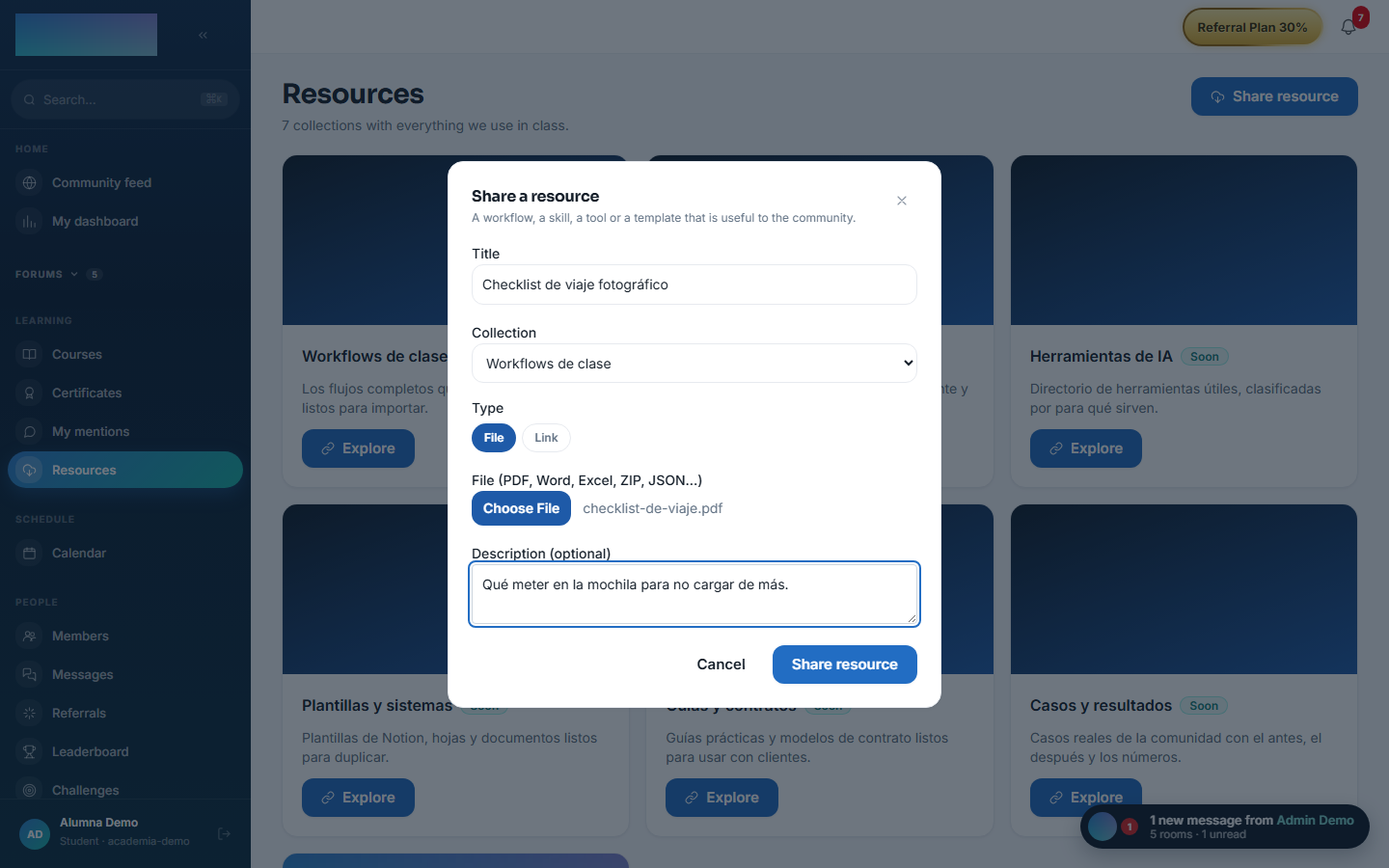
"Share resource": "Title", "Collection", type "File" (PDF, Word, Excel, ZIP, JSON…) or "Link", and "Description (optional)".
-
Inside a collection (
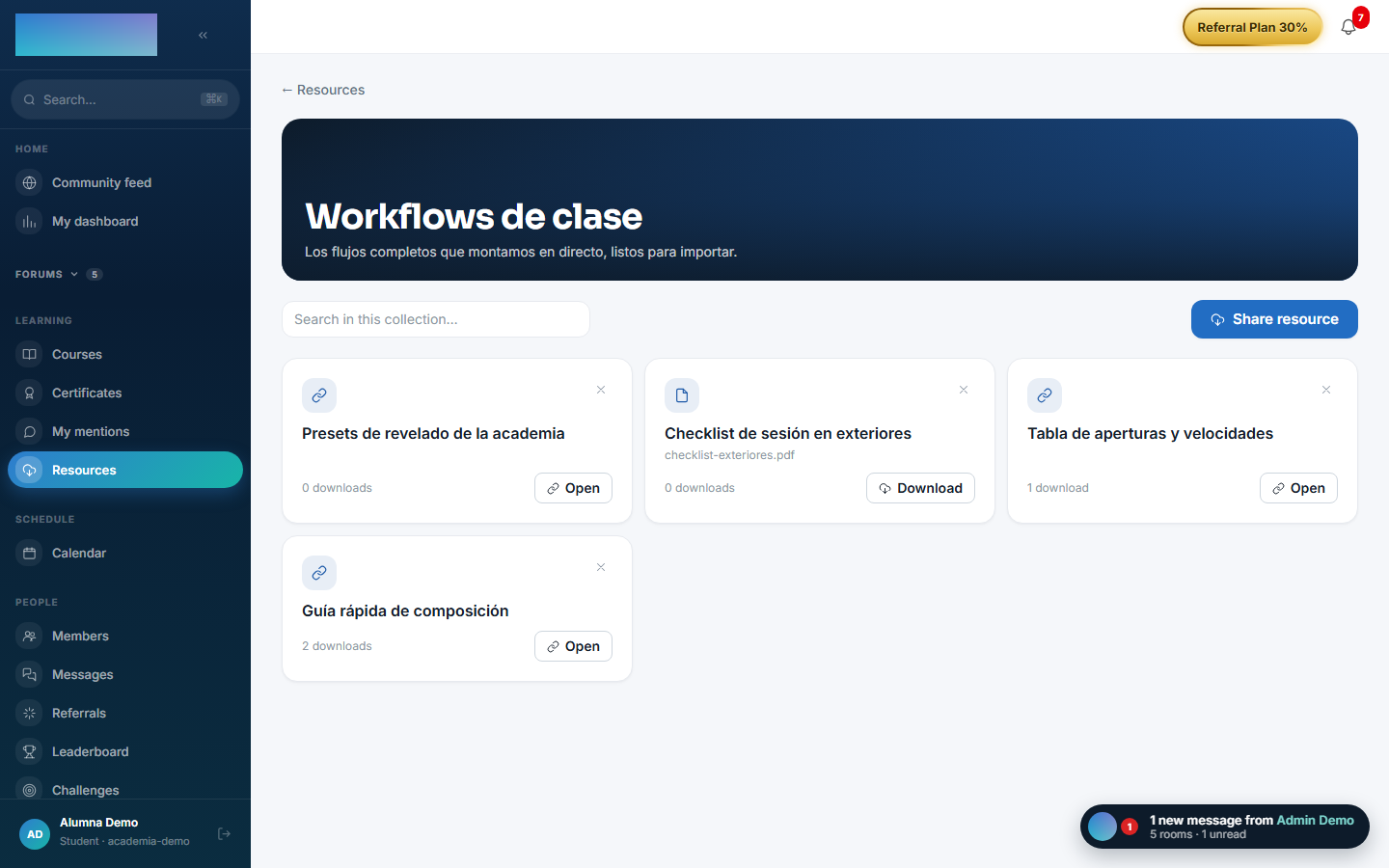
/recursos/<id>), search with "Search in this collection…" — the search runs on the server, within that collection. -
"Download" (files) or "Open" (links): every open adds to the download counter shown on the card.
-
Every author can delete their own resources with the X on the card (with confirmation).
Dependencies
None. The reference to the class (zoomSessionId) is a logical ID with no foreign key.
Data model
mod_resources_collection (title unique per tenant, ordering, default flag) · mod_resources_resource (kind FILE/LINK, URL, author, originating class, downloads).
API
Prefix /modules/resources. Details in Reference → Community and people.
Events
Emits: resources.resource.created, resources.resource.deleted, resources.collection.created (the first two score points in gamification). It consumes none.